
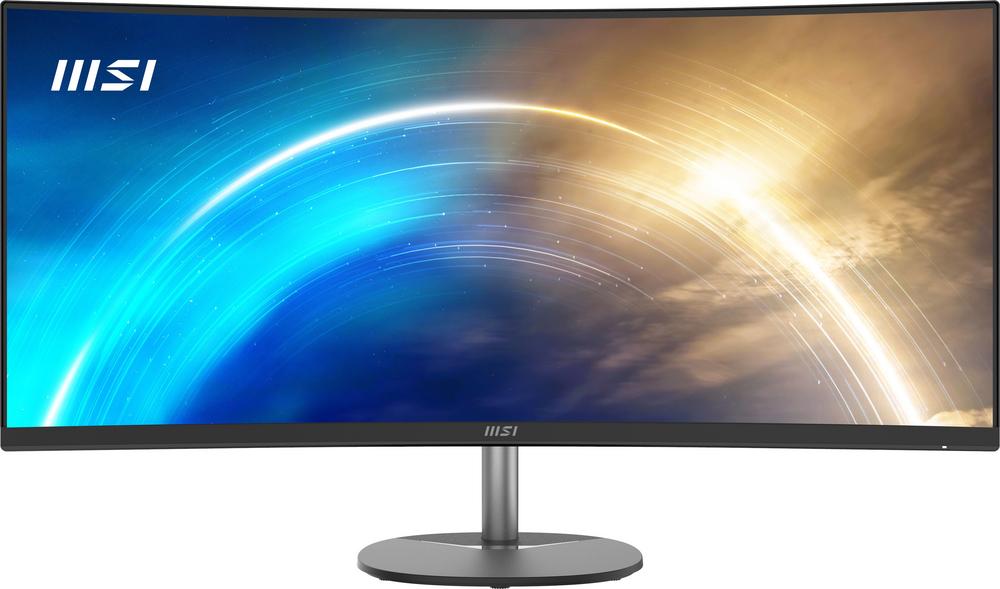
If you spend a lot of time at your desk, a good monitor is one of the best upgrades you can make. The LG UltraFine™ 27" 4K Ultra HD 60Hz Monitor is a popular option for people who want crisp detail, accurate-looking colours and a clean, modern design. In this guide, we’ll use it as a benchmark to explore what to look for in a 27-inch monitor, how 4K compares with other resolutions, and which alternative screens might suit different budgets and priorities.
Why a 27-inch 4K monitor is a sweet spot
A 27-inch screen is large enough to feel immersive, but not so big that it overwhelms a home office or shared space. Pair that size with 4K Ultra HD resolution and you get a very dense pixel count, which means sharp text, detailed images and plenty of space for side-by-side windows.
The LG UltraFine™ 27" 4K Ultra HD 60Hz Monitor is a good example of this sweet spot. It’s aimed at people who want high clarity without going into ultra-wide territory or huge 32-inch panels. If you want to dive into the nuts and bolts, you can read our full review of the LG UltraFine 27" 4K Ultra HD 60Hz Monitor, but here we’ll focus on how this type of monitor fits into real-world use.
Understanding resolution: 4K vs QHD vs Full HD
The first big decision when buying a monitor is resolution. At 27 inches, three options are common: Full HD (1080p), QHD (1440p) and 4K (2160p). Each has its own strengths.
4K on a 27-inch screen
On a 27-inch panel, 4K Ultra HD offers extremely fine detail. Documents and websites look very crisp, and photos and videos benefit from more subtle shading and texture. It makes the LG UltraFine 27" 4K Ultra HD 60Hz Monitor feel premium and precise, especially for creative work and dense spreadsheets.
You will likely use display scaling so that text and icons are comfortably sized. That means you get both sharpness and extra working space compared with lower resolutions.
QHD: a strong middle ground
If you don’t need full 4K, QHD (2560×1440) is an excellent compromise on a 27-inch monitor. It offers noticeably more detail and room than Full HD, but is less demanding on your computer and can pair nicely with a higher refresh rate.
The iiyama ProLite XUB2792QSU-B6 27" QHD 100Hz Monitor is a good example of this approach. It trades 4K resolution for QHD, but adds a 100Hz refresh rate, making it attractive if you want smoother motion for gaming or scrolling while keeping good clarity.
Full HD for budget-conscious buyers
At 27 inches, Full HD is the most affordable and easiest to drive from modest laptops and PCs. The trade-off is that pixels are more visible if you sit close, and your workspace feels smaller compared with QHD or 4K.
For everyday home use, a simple option like the Lenovo 27" Full HD 100Hz Monitor can still be a smart pick. Its 100Hz refresh rate gives a smooth feel, particularly in scrolling and lighter gaming, even though the resolution is lower than 4K.
Refresh rate: when does 60Hz matter?
The LG UltraFine 27" 4K Ultra HD 60Hz Monitor runs at 60Hz, which means the image can refresh up to 60 times per second. For most people doing office work, browsing and streaming, this is more than adequate. Windows drag smoothly, text scrolls fine and video playback is consistent.
Where you may notice a difference is in fast-paced gaming or high-speed video editing previews, where 100Hz or higher can look more fluid. If that’s a priority, the 100Hz refresh on both the Lenovo 27" Full HD 100Hz Monitor and the iiyama ProLite XUB2792QSU-B6 27" QHD 100Hz Monitor might appeal more, especially when paired with a capable graphics card.
If your main focus is clarity for content creation and productivity rather than competitive gaming, a 60Hz 4K monitor like the LG UltraFine is usually the better balance.
Comparing 27-inch 4K options
Not all 27-inch 4K monitors are created equal. Even with the same resolution and refresh rate, design, ergonomics and connectivity can differ a lot.
Another 4K example in the same size bracket is the iiyama ProLite XUB2792UHSU-B6 27" 4K UHD 60Hz Monitor. Like the LG UltraFine, it targets users who care more about sharpness and workspace than ultra-high refresh rates. Looking at both side by side can help you decide which styling, stand adjustment and port selection you prefer.
To understand how the LG option stacks up in day-to-day use, including colour performance and build quality, it’s worth taking a look at our hands-on impressions: read our in-depth LG UltraFine 27" 4K Ultra HD 60Hz Monitor review for a closer look.
Ergonomics and stand design: don’t overlook comfort
A sharp screen is only half the story. If you’re hunched over or constantly craning your neck, even the best panel becomes uncomfortable.
When choosing a 27-inch monitor, pay close attention to:
- Height adjustment – Being able to raise and lower the screen helps you keep the top of the display around eye level.
- Tilt and swivel – Adjusting the angle lets you reduce reflections and glare from windows and lights.
- Pivot (rotation) – Rotating into portrait mode can be useful for coding, long documents or reading websites.
- VESA mount support – If you plan to use a monitor arm, make sure the monitor supports the right mounting pattern.
White or light-coloured designs like the LG UltraFine 27" 4K Ultra HD 60Hz Monitor can look tidier in modern home offices and blend in with lighter furniture. Darker monitors, such as the iiyama ProLite models, can blend better into traditional setups or gaming corners.
Connectivity: matching your devices
Your monitor is only as useful as the connections it offers and how they match your laptop or PC. 4K at 60Hz typically needs DisplayPort or a recent HDMI standard. Some monitors add USB-C that can carry video, data and sometimes power over a single cable.
Before buying, check:
- What outputs your computer has (HDMI, DisplayPort, USB-C, older connectors).
- Whether you need extra USB ports on the monitor for keyboards, mice or storage.
- If you plan to connect games consoles or streaming sticks alongside your main computer.
Monitors like the iiyama ProLite XUB2792UHSU-B6 and XUB2792QSU-B6 focus on being practical all-rounders, while the LG UltraFine leans into clean styling and a minimalist feel. The best choice depends on whether you value pure design, a hub-like feature set, or a mixture of both.
Who is a 27-inch 4K monitor best for?
If you recognise yourself in any of these scenarios, a 27-inch 4K monitor such as the LG UltraFine could be an excellent match:
- Home office multitasker – You often have email, spreadsheets and video calls on the go and appreciate extra workspace.
- Photo and video hobbyist – You want your images to look detailed and clean, and you value being able to see more of your timeline at once.
- General user who hates fuzzy text – You spend all day reading and writing and want the crispest text you can get.
The LG UltraFine 27" 4K Ultra HD 60Hz Monitor is particularly attractive if design matters to you and you’d like a simple, high-quality centrepiece for your desk. For a deeper dive into real-world usage, have a look at our detailed impressions in the LG UltraFine 27" 4K Ultra HD 60Hz Monitor review.
When a different 27-inch monitor might suit you better
A 27-inch 4K monitor isn’t always the best answer. Depending on your priorities, one of the alternatives we’ve mentioned could be a better fit.
If you’re on a tighter budget
When price is the main concern and you still want a large screen, the Lenovo 27" Full HD 100Hz Monitor offers solid value. You sacrifice resolution compared with 4K, but gain a higher refresh rate and keep that roomy 27-inch canvas. It’s well-suited to students, casual gamers and general family use.
If you want smoother gaming and movement
Smoothness can be more noticeable than pure sharpness, especially in games and fast-scrolling content. The iiyama ProLite XUB2792QSU-B6 27" QHD 100Hz Monitor offers that extra 100Hz fluidity, along with a sharper QHD resolution than Full HD. It hits a good balance between performance and detail for mixed gaming and productivity.
If you want 4K but prefer a different style
If you like the idea of 4K at 27 inches but want to weigh up styling and stand adjustability, the iiyama ProLite XUB2792UHSU-B6 27" 4K UHD 60Hz Monitor is worth a look. It gives you the same headline resolution and refresh rate as the LG UltraFine, but with a different design language and feature set that may better suit your workspace.
Practical setup tips for a new 27-inch monitor
Once you’ve chosen your monitor, a few simple tweaks can transform the experience from good to excellent.
- Set scaling properly – On a 4K 27-inch screen, experiment with scaling levels so text is easy to read without looking soft.
- Match refresh rate – Make sure your operating system is set to the monitor’s maximum refresh rate (60Hz or 100Hz) rather than a lower default.
- Adjust brightness and colour – Lower the brightness to suit your room, and use any built-in presets for reading, movies or photo work.
- Position it correctly – Keep the top of the screen around eye level, and sit roughly an arm’s length away to take in the whole display comfortably.
These steps help you get the most from any 27-inch monitor, whether it’s the LG UltraFine 27" 4K Ultra HD 60Hz Monitor or one of the alternatives we’ve highlighted.
Looking after your monitor for the long term
Monitors tend to last many years, so a little care goes a long way. Dust the screen regularly using a soft, dry microfibre cloth, and avoid harsh cleaners that can damage the coating. If you do need to clean marks, use a dampened cloth with plain water or a cleaner specifically designed for displays, applied to the cloth rather than directly to the panel.
To prevent image retention, avoid leaving static content on screen at full brightness for days on end. Using a screen saver or letting the monitor sleep when not in use will help keep the panel looking fresh longer.
Choosing the right 27-inch monitor for you
There’s no single perfect monitor for everyone, but understanding how resolution, refresh rate, ergonomics and connectivity work together makes picking the right model much easier. The LG UltraFine™ 27" 4K Ultra HD 60Hz Monitor is a strong example of a sharp, modern 27-inch 4K screen that suits home offices, creative work and everyday use.
If you’re still weighing up your options, take a moment to compare it with alternatives like the Lenovo 27" Full HD 100Hz Monitor, the iiyama ProLite XUB2792UHSU-B6 27" 4K UHD 60Hz Monitor and the iiyama ProLite XUB2792QSU-B6 27" QHD 100Hz Monitor using the in-depth reviews linked throughout this guide. With a clearer sense of what matters most to you, you can choose a 27-inch monitor that will serve you well for years to come.