
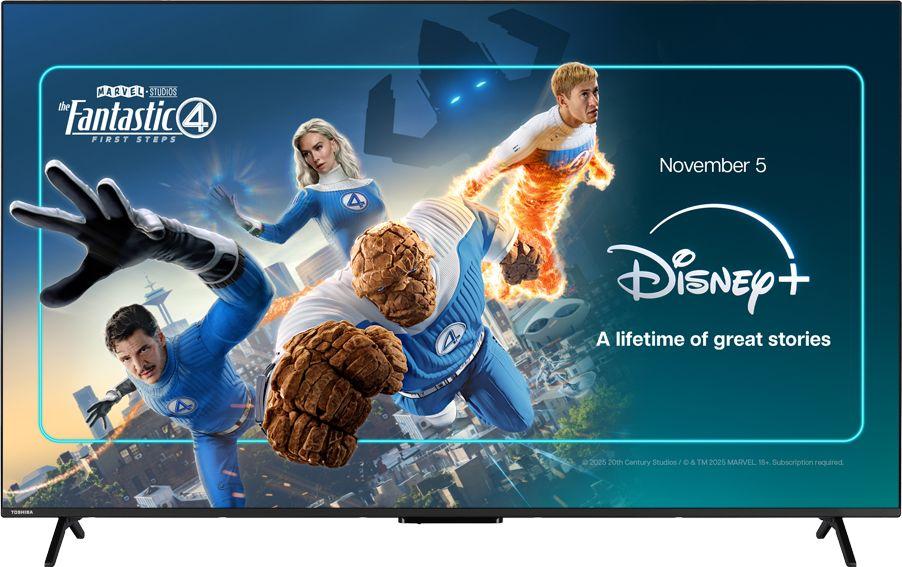
If you’re upgrading your main TV, one of the biggest questions is simple: what size and feature set will genuinely suit your home, without overspending? Using the Toshiba UV2F53DBU 55" 4K Ultra HD Smart Freely TV as a real-world example, this guide walks through how to pick the right screen size, understand modern smart features, and decide when it’s worth stepping up to a larger or more premium model.
Why 55-inch 4K has become the new “sweet spot” size
For many UK homes, 55 inches has quietly become the default size for a main living room TV. It’s large enough to feel cinematic, but not so huge that it dominates a typical semi-detached lounge or flat.
The Toshiba UV2F53DBU is a 55-inch 4K Ultra HD LED TV with smart features and Freely support, which means it’s a good benchmark for what you can expect from a modern mid-sized TV. If you want all the details, you can read our full review of the Toshiba UV2F53DBU 55" 4K Ultra HD Smart Freely TV, but here we’ll focus on how this type of TV fits into everyday life.
Room size and viewing distance
A 55-inch TV like the Toshiba UV2F53DBU tends to work well if you usually sit around 2–3 metres away. That covers most UK living rooms where the sofa is against one wall and the TV is on the opposite side or in a corner unit.
If your seating is much closer than 2 metres, even a 55-inch screen can feel a bit in-your-face. In that case, you might consider rearranging furniture slightly, wall-mounting to reclaim space, or staying at 55 inches rather than jumping straight to a 65-inch alternative.
When 55 inches might not be enough
If you have a large open-plan space or you regularly host film nights and live sport, a 65-inch model can make more sense. For instance, the Hisense A6Q 65" 4K Ultra HD Smart Freely TV gives you the same Ultra HD resolution and smart convenience as the Toshiba, but in a bigger size that can better fill a long room.
Similarly, if you’re already sitting well over 3 metres away, a 55-inch TV may start to look a little small for movie nights. That’s the point where moving up to a 65-inch, such as the Samsung U8000F 65" 4K Ultra HD Smart TV, can give you more impact without feeling over the top.
Understanding 4K and why it matters at 55 inches
Both the Toshiba UV2F53DBU and the alternative models listed here are 4K Ultra HD TVs. That means they have four times the resolution of older Full HD sets, which is particularly noticeable once you reach 55 inches and above.
Sharper detail for films, sport and gaming
On a 55-inch screen, 4K helps keep text, player names, on-screen graphics and fine details crisp rather than fuzzy. This is especially welcome if you watch a lot of sport, nature documentaries, or play games on a modern console.
A TV like the Toshiba UV2F53DBU will really shine when you feed it native 4K content from streaming services, UHD discs or a 4K console. You’ll still see an improvement with HD broadcasts, but the jump is most impressive when the whole chain is 4K.
Do you need 4K for smaller rooms?
Even if you’re fairly close to the screen, 4K is still worthwhile at 55 inches because individual pixels are so small. The image stays smooth and detailed, and you’re less likely to see blockiness around edges or in fast motion.
All of the alternatives here – the Hisense A6Q, Samsung U8000F, LG UA73006 65" 4K Ultra HD Smart TV and LG QNED70A 55" 4K Ultra HD Smart TV – share that same 4K resolution, so your choice comes down more to size, picture-processing style and smart platform than resolution alone.
Smart TV basics: what to expect from a modern 4K set
Smart features are now standard, and a 55-inch 4K TV like the Toshiba UV2F53DBU is designed to be an all-in-one hub for streaming, catch-up and live TV.
Streaming and catch-up apps
On a well-equipped smart TV, you can expect access to the major streaming and catch-up services, plus a straightforward home screen to launch them from. Once connected to your home Wi-Fi or a wired Ethernet port, there’s usually no need for extra boxes unless you have specialist needs or older kit you still want to use.
The Toshiba UV2F53DBU backs this up with Freely support for integrated live and on-demand TV. If that’s a key selling point for you, you can dive into our in-depth Toshiba UV2F53DBU review to see how the smart system behaves day to day.
Remote controls and voice features
Most current 4K smart TVs use simplified remotes, often with direct buttons for popular services and at least basic voice control. That can be particularly handy if you’re searching for specific programmes or films across several apps at once.
If you prefer a slicker, more premium-feeling interface and remote, models from Samsung and LG – like the Samsung U8000F and LG UA73006 – are worth looking at. Their ecosystems tend to offer more personalisation options and slightly more refined menus once you’ve spent a bit of time tailoring them.
Comparing 55-inch LED and QNED-style screens
While the Toshiba UV2F53DBU sits firmly in the LED TV camp, not all 4K sets at this size use the same technology. This is where models like the LG QNED70A 55" offer an interesting comparison.
Standard LED vs enhanced backlighting
Traditional LED TVs use a backlight behind an LCD panel. The Toshiba UV2F53DBU follows this approach, balancing cost and performance for the average household that wants strong HD and 4K pictures without going ultra-premium.
By contrast, enhanced technologies such as QNED in the LG QNED70A 55" 4K Ultra HD Smart TV aim to improve brightness and colour volume. That can be a bonus if you’re particularly keen on HDR films and want extra punch in bright rooms.
When to stretch your budget
If you mainly watch standard HD channels, streaming dramas and the odd film, a well-sorted LED TV like the Toshiba UV2F53DBU is often all you need. You’ll still enjoy the jump to 4K and smart features without paying a premium for specialist panel tech.
However, if you’ve invested in a next-gen console, watch a lot of visually rich films or have a bright, daylight-filled living space, paying more for something like the LG QNED70A may make sense. You’re effectively investing in better handling of challenging scenes and lighting conditions.
Should you go 55-inch or 65-inch?
The biggest decision for many people isn’t the brand; it’s whether to stay at 55 inches or jump to 65 inches. The Toshiba UV2F53DBU at 55 inches sits alongside several 65-inch options that show what you gain – and what you compromise – by going larger.
Examples of 65-inch alternatives
- Hisense A6Q 65" 4K Ultra HD Smart Freely TV – similar smart and Freely credentials, but with a bigger canvas for films and sport.
- Samsung U8000F 65" 4K Ultra HD Smart TV – a 65-inch smart TV with a polished interface and strong brand ecosystem.
- LG UA73006 65" 4K Ultra HD Smart TV – a 65-inch option that showcases LG’s approach to colour and smart TV design.
All three compete in broadly the same price region as a well-specced 55-inch TV, showing how closely matched the market has become.
What you gain by going bigger
The most obvious plus is immersion. Films feel more cinematic, sport feels closer to being at the stadium, and even standard TV drama benefits from the sense of scale. If your seating distance is already quite large, that added size simply makes everything easier and more comfortable to watch.
Larger screens also make it easier for groups or families to see the action clearly from wider angles. If you often have multiple people watching from different spots on a corner sofa or dining table, a 65-inch screen can help everyone feel included.
What you lose by going bigger
A 65-inch TV inevitably takes up more room and can look imposing on smaller walls. It can also highlight poor-quality sources more than a 55-inch screen, as low-resolution channels and older DVDs are being stretched further.
There’s also the matter of budget and priorities. For the same money, staying at 55 inches sometimes lets you choose a slightly more advanced panel or better sound system, rather than simply expanding the screen size.
Sound, connectivity and everyday usability
Picture quality gets most of the attention, but a well-rounded TV buying decision should include sound, ports and day-to-day ease of use.
Built-in speakers vs soundbars
Most slim LED TVs, including the Toshiba UV2F53DBU, have fairly discreet built-in speakers. They’re usually fine for news, soaps and casual viewing, but they may lack the weight and clarity you want for big films and live sport.
If you care about audio, factor a basic soundbar into your budget. All of the TVs mentioned here offer standard connectivity for external audio, so it’s easy to upgrade later even if you start with the TV’s own speakers.
Ports and plug-in devices
Think about how many devices you’ll connect: games consoles, Blu-ray players, set-top boxes, streaming sticks or sound systems. A modern 55-inch 4K TV will typically provide several HDMI ports, USB connections and at least one digital audio output.
Before buying, list your existing kit and check it all has somewhere to plug in. If you know you’ll expand later – perhaps adding a console or extra box – having a spare HDMI or two from the start avoids juggling cables.
Value for money: mid-range 55-inch vs budget-friendly 65-inch
Looking at the Toshiba UV2F53DBU alongside its 65-inch rivals highlights a useful buying strategy: you can either choose a mid-range feature set at 55 inches, or step up to a slightly larger screen at a similar price if you’re willing to sacrifice some refinements.
Who a 55-inch mid-range TV suits best
A TV like the Toshiba UV2F53DBU is ideal if you want a well-balanced all-rounder with strong everyday performance and features like Freely built in. It suits households that prioritise a neat, modern look and sensible feature set over chasing the absolute biggest screen possible.
If you like that philosophy but want to explore the technical details and user impressions in depth, you can read our full review of the Toshiba UV2F53DBU 55" 4K Ultra HD Smart Freely TV here.
Who should consider a 65-inch instead
If you mainly watch films and live sport, and you have the space to sit further back, a 65-inch screen from Hisense, Samsung or LG will often feel more exciting. You’re trading a little subtlety and sometimes a few premium touches for sheer impact.
The Hisense A6Q 65" in particular is a smart pick if you like the idea of Freely and want to scale up the experience of a 55-inch model without drastically changing how you use the TV.
Practical tips before you buy
Once you’ve narrowed things down to a 55-inch or 65-inch 4K LED TV, a few practical checks can make ownership smoother from day one.
Measure twice, buy once
- Check the full width and height of the TV with its stand, not just the diagonal size.
- Ensure your TV unit or wall has a few centimetres of clearance for ventilation.
- Consider where cables will run, especially if you’re wall-mounting.
Plan your connections
- Count how many devices you’ll plug in now and likely add in the next couple of years.
- Decide whether you prefer wired Ethernet or Wi-Fi for streaming.
- Think about whether you’ll add a soundbar or speakers, and where they’ll sit.
Check your broadband and aerial
For smooth 4K streaming, you’ll want a solid broadband connection and a router that can handle multiple devices. If you’re relying heavily on live TV via Freely or similar platforms, it’s also worth making sure your aerial and cabling are in decent condition to minimise glitches.
Conclusion: finding the right 4K TV for your home
Choosing a new 4K TV is about more than just grabbing the biggest screen you can afford. The Toshiba UV2F53DBU 55" 4K Ultra HD Smart Freely TV shows how a well-judged 55-inch model can hit a sweet spot for size, features and value in a typical UK living room.
If you’ve decided that 55 inches is right for your space, it’s worth exploring how this Toshiba stacks up in terms of connectivity, smart features and picture quality by heading over to our full Toshiba UV2F53DBU review. And if you’re tempted by a larger or more premium alternative, the detailed reviews of the Hisense A6Q, Samsung U8000F, LG UA73006 and LG QNED70A will help you decide whether the jump in size or tech is worth it for the way you watch TV.