
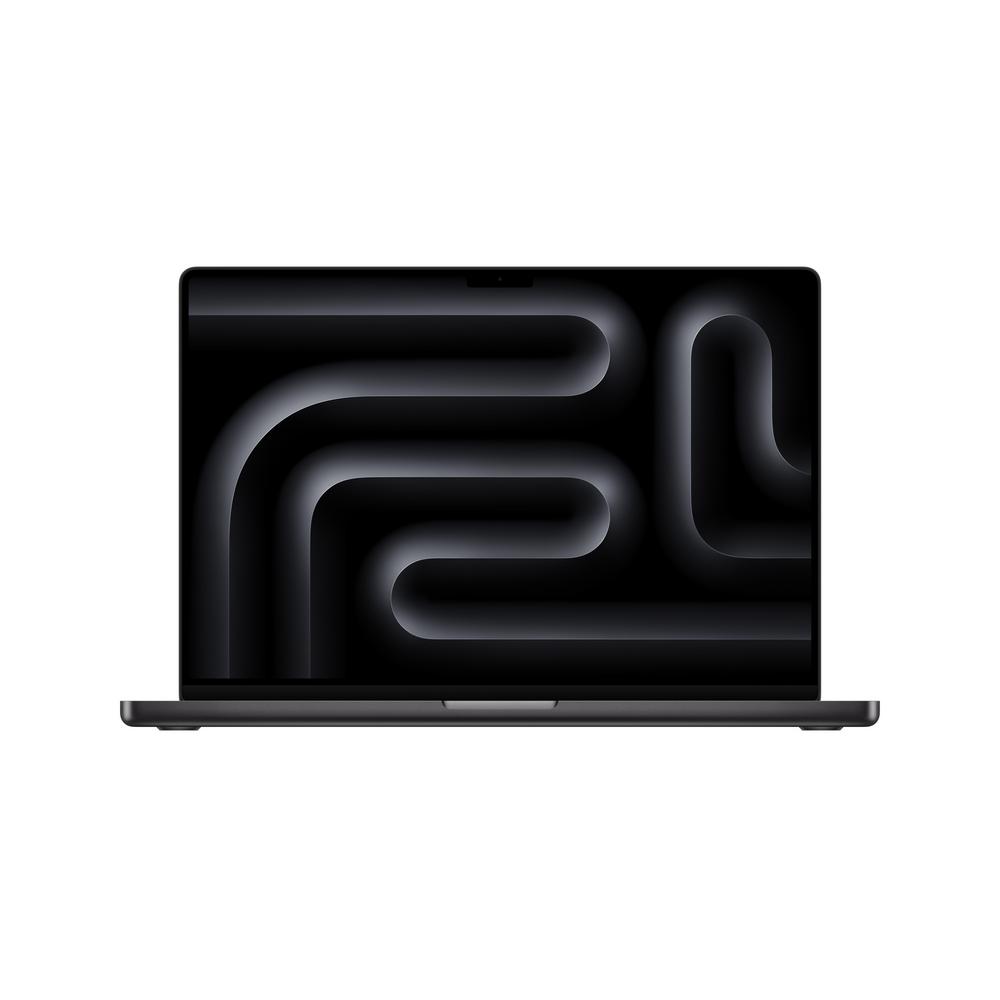
If you’re looking at a 14-inch MacBook Pro in 2024, you’re probably trying to balance serious performance with something you can actually carry around. The Apple 14″ MacBook Pro, M4, 24GB RAM, 16-Core GPU, 512GB, 2024 – Space Black is built exactly for that mix: a compact pro laptop with enough muscle for demanding creative and technical work. In this guide we’ll walk through how to decide if this kind of machine is right for you, what its key strengths are, and how to choose the right spec for your needs. Whenever you want the nitty-gritty details, you can read our full review of the Apple 14″ MacBook Pro, M4, 24GB RAM, 16-Core GPU, 512GB, 2024 for benchmarks, in-depth impressions and more.
Who the 14″ MacBook Pro is really for
Not everyone needs a pro-grade laptop. The 14″ MacBook Pro is aimed squarely at people who want more than a light browsing and email machine, but don’t want to cart around a heavy 16-inch model. If you recognise yourself in any of these, the 14-inch format with a powerful chip like the M4 is worth a close look:
- Photographers and designers working in Lightroom, Photoshop or similar apps
- Developers juggling code editors, emulators, containers and countless browser tabs
- Video editors cutting short-form clips, YouTube content and social reels
- Students on demanding courses (engineering, design, media, computing)
- Professionals who travel a lot but still need workstation-level performance
The Apple 14″ MacBook Pro, M4, 24GB RAM, 16-Core GPU, 512GB, 2024 lands in a sweet spot. The 24GB of memory is generous for multitasking, while the 16-core GPU leans into creative and graphics-heavy work. If you’re unsure whether that’s overkill or just right, our in-depth impressions in the full Apple 14″ MacBook Pro M4 review will help you gauge how it behaves with real workloads.
Understanding the M4 chip and what it means in daily use
Rather than sifting through technical jargon, it’s worth focusing on how a modern chip like the M4 changes the way you actually use your laptop. The key improvements over older generations centre on responsiveness and efficiency.
In day-to-day work, the M4 is designed to keep everything feeling instant. Apps launch quickly, big projects open without long waits and your laptop remains responsive even with large files and multiple displays. Where older machines might stall when you drag a 4K video clip onto a timeline or compile a big project, a well-specified 14″ MacBook Pro with an M4 chip is built to keep moving.
Efficiency is just as important. Instead of raw speed that drains your battery, the M4 aims to deliver high performance at lower power. This helps you work longer unplugged, which is particularly valuable if you’re editing or coding on trains, in coffee shops or between meetings. You’re less tied to a plug socket, even when you’re doing more than browsing.
Why 24GB RAM matters more than you might think
One of the standout specs in this Apple 14″ MacBook Pro is the 24GB of RAM. Memory isn’t as obvious as storage space, but it has a big effect on how smooth your laptop feels under load.
Think of RAM as your desk space. The more room you have, the more projects, apps and browser tabs you can lay out without everything feeling cramped. With 24GB, you can comfortably:
- Run a full suite of creative apps at the same time (for example a browser, Lightroom, Photoshop and a notes app)
- Keep dozens of tabs open without constant reloads
- Use virtual machines or emulators without bogging down your system
- Tackle large image or audio libraries more fluidly
For basic tasks, 24GB is admittedly more than you strictly need. If you live in web apps, email and word processing, a cheaper configuration or even a different laptop entirely would make more financial sense. But if you plan to keep this machine for a long time, or your workloads are getting heavier every year, that 24GB gives you a decent buffer before anything starts to feel cramped.
Is 512GB storage enough on a pro laptop?
The 512GB SSD in this configuration is a common talking point. It’s easy to be dazzled by performance specs and forget that raw storage can be a limiting factor, especially with modern media files.
For many people, 512GB is a reasonable middle ground. If you stream music and video rather than downloading, store most documents in the cloud and clear old files occasionally, you’ll be fine. However, if you regularly work with 4K footage, massive RAW photo libraries or very large software projects, you’ll want a plan.
Common approaches include:
- Keeping active projects on the internal SSD for maximum speed, then archiving finished work to an external SSD or NAS
- Using cloud storage intelligently for older documents and rarely accessed files
- Being disciplined about clearing temporary files, downloads and unused apps
If you know you tend to keep everything locally, and you dislike juggling drives, then stepping up to a higher internal capacity when you buy might be worth it. Storage isn’t something you can usually upgrade later in these machines, so it’s best to be honest about your habits.
The appeal of a 14-inch pro laptop
The 14-inch form factor is becoming a favourite for people who want a single machine that can do everything. Compared with slimmer, lighter laptops, you usually gain more cooling headroom, better speakers and a more advanced screen. Compared with larger 16-inch models, you save on weight and bulk.
A 14-inch pro laptop fits well into most bags and is manageable on cramped train tables. At the same time, you get a display big enough for proper multitasking and side-by-side windows. When you need more space, it’s simple to plug into one or more external displays at your desk and turn the laptop into the heart of a full workstation setup.
Who might not need this much power?
Although the Apple 14″ MacBook Pro, M4, 24GB RAM, 16-Core GPU, 512GB, 2024 is very capable, not everyone needs this level of spec. If most of your time is spent writing essays, browsing the web, attending video calls and streaming films, it might be more laptop than you’ll ever use.
Before you commit, ask yourself:
- Do I run any software that specifically benefits from a high-end chip and lots of RAM?
- Will I be editing high-resolution images or video regularly, not just occasionally?
- Am I likely to keep this machine for four or more years?
If the answer to most of these questions is “no”, a cheaper model could free up budget for accessories like a good external monitor, a mechanical keyboard, extra storage or better audio gear – upgrades that often impact your comfort and productivity more than raw processing power.
Making the most of a high-end 14″ MacBook Pro
Once you’ve invested in a machine at this level, there are a few habits and accessories that can help you get the best from it day-to-day.
Use external displays wisely
A 14-inch screen is generous for a laptop, but pairing it with an external monitor can transform your workflow. For video and photo work, you might keep your preview or canvas on the bigger screen while using the laptop display for tools and timelines. For coding, you can dedicate one display to your editor and the other to documentation, terminals and browser windows.
Keep your storage under control
With a 512GB drive, adopt a simple storage strategy early on. Create clear folders for projects, archive old work off the internal drive regularly and consider using a fast external SSD for active media-heavy tasks. This keeps your laptop feeling fresh instead of bogged down by years of accumulated clutter.
Optimise your power settings
Modern laptops often let you choose between performance and battery-focused modes. If you’re plugged in and exporting a big video project, lean into performance modes. When you’re travelling and mostly browsing or writing, a more conservative setting can extend your battery life significantly.
How to decide if this is the right configuration for you
With so many variations available, it’s easy to get lost in spec sheets. Instead of chasing the biggest numbers, think in terms of roles:
- The everyday powerhouse – If you handle a mix of office tasks, creative work and heavy multitasking, the M4 chip and 24GB RAM give you a comfortable cushion.
- The mobile content studio – For people who shoot and edit content on the go, this setup is portable yet powerful. You’ll want a clear plan for storage, but performance shouldn’t hold you back.
- The long-term investment – If you upgrade infrequently, choosing 24GB of RAM and a capable GPU now reduces the risk of your laptop feeling out of date in a few years.
To see how this specific model performs in real tests and workflows, you can always check the detailed benchmarks and hands-on impressions in our full Apple 14″ MacBook Pro M4 review.
Accessories that pair well with a 14″ MacBook Pro
A premium laptop is only part of a productive setup. Consider a few extras that can round out your experience and protect your investment.
- A sturdy, well-padded sleeve or bag to protect the chassis and screen in transit
- A USB-C hub or dock if you rely on older USB-A devices, SD cards or wired Ethernet
- An external SSD for fast, expandable storage as your projects grow
- A quality monitor for desk-based work, especially if you’re editing visual content
- A laptop stand and external keyboard for better posture during long sessions
These additions don’t need to be bought all at once. Start with what solves your biggest immediate pain point, then build up your setup over time.
How to keep a premium laptop feeling fast for longer
Even the best laptops can feel sluggish over time if they’re not looked after. With a capable machine like the Apple 14″ MacBook Pro, M4, 24GB RAM, 16-Core GPU, 512GB, 2024, a few habits will help you preserve that out-of-the-box snappiness:
- Stay selective with apps – Avoid installing lots of utilities you rarely use, as they often run background processes.
- Review login items – Periodically check which apps open automatically when you log in, and disable anything unnecessary.
- Keep software updated – Updates often bring performance improvements and bug fixes as well as new features.
- Manage your desktop – A cluttered desktop full of large files can slow things down; move items into organised folders instead.
- Monitor free space – Try to keep some headroom on your internal drive so the system has room to work.
Choosing the right time to buy
With laptops refreshed on a regular cycle, buyers often wonder when to jump in. The 2024 14″ MacBook Pro with the M4 chip represents a current-generation design, so you’re not buying something that’s already on its way out. If your existing machine is holding back your work or studies now, the productivity gains from upgrading usually outweigh any benefit from waiting for marginal future improvements.
On the other hand, if your current laptop is still doing the job and you’re only tempted by the idea of an upgrade, it can make sense to wait until you have a clearer need or until seasonal sales appear. Premium laptops hold their value reasonably well, but there’s no harm in taking your time if you’re not in a rush.
Final thoughts
The Apple 14″ MacBook Pro, M4, 24GB RAM, 16-Core GPU, 512GB, 2024 is designed for people who expect a lot from a relatively compact laptop: heavy multitasking, creative projects and long days away from the plug. It won’t be the right choice for everyone, but if your workloads are starting to stretch lighter machines, a configuration like this can be a smart, future-focused upgrade.
Take a little time to be honest about how you actually use your laptop, how much storage you really need and how long you tend to keep your devices. Once you’ve done that, you’ll know whether this 14-inch powerhouse fits your life or if another route makes more sense. When you’re ready to dive into the specifics, benchmarks and hands-on impressions, you can head over to our full Apple 14″ MacBook Pro M4 review for all the detail you need before buying.