
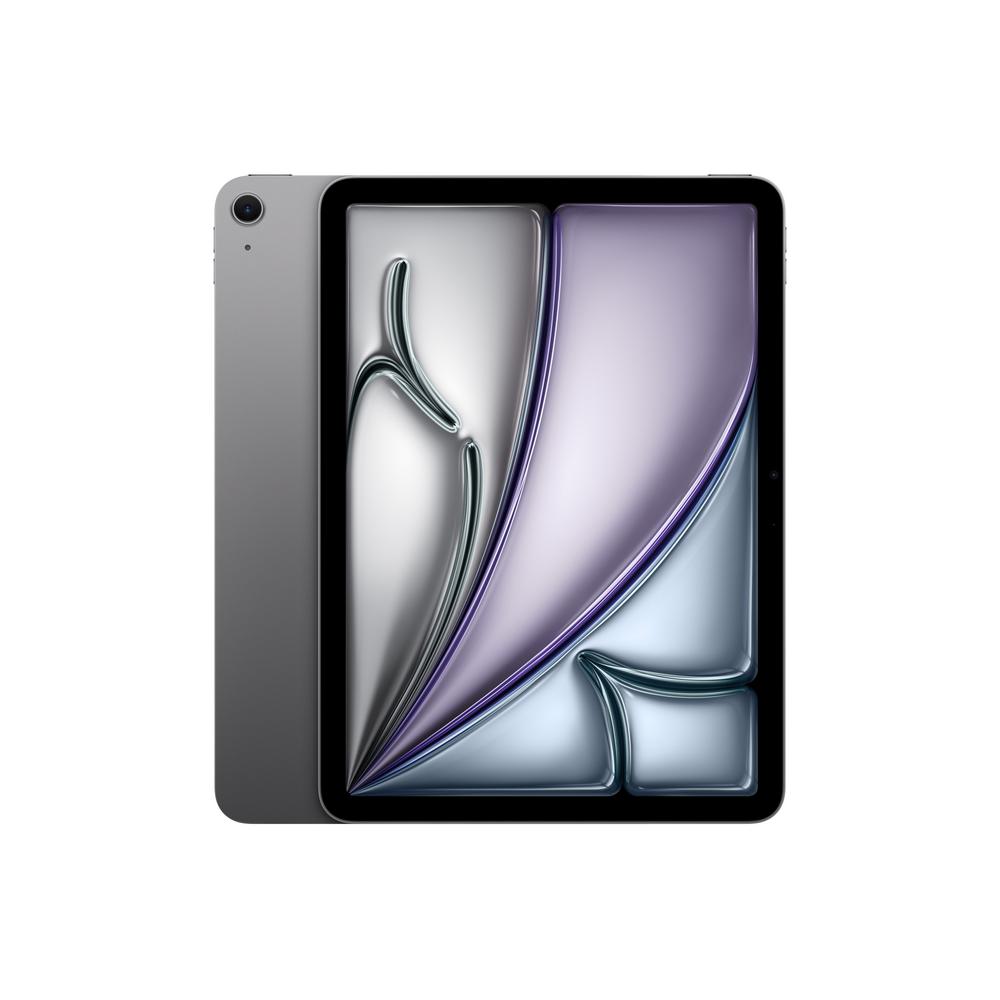
If you like the idea of a tablet that can genuinely replace a laptop, the Apple iPad Air 12.9" 256GB WiFi 2025 in Space Grey is one of the most tempting options around. That big 12.9-inch display, roomy 256GB of storage and modern design make it a powerful all-rounder for work, study and entertainment. But how do you know it’s the right size and capacity for you, and how does it compare with smaller or cheaper iPads in the range?
Why the 12.9-inch iPad Air is different to smaller tablets
Moving up to a 12.9-inch screen changes how you use a tablet. Instead of a casual device for scrolling on the sofa, it becomes something you can happily use at a desk for hours at a time.
The Apple iPad Air 12.9" 256GB WiFi 2025 shines when you’re:
- Running two apps side by side for proper multitasking
- Marking up PDFs, presentations or documents with a stylus
- Editing photos or videos where extra screen space helps fine control
- Watching films or sports where a bigger display feels more immersive
If you want more detail on performance, display tech and day-to-day experience, you can read our full review of the Apple iPad Air 12.9" 256GB WiFi 2025 once you’ve finished this guide.
Who the Apple iPad Air 12.9" 256GB WiFi 2025 suits best
Before you decide on any tablet, it helps to be clear about what you actually do with your tech. The 12.9-inch Air is best for people who:
- Spend a lot of time reading and marking documents, whether for work or study
- Want a light, slim device to replace or back up a laptop
- Prefer a larger canvas for drawing, design or photo editing
- Watch a lot of video at home and want a more cinematic feel without buying a TV
If you’re mainly checking social media, browsing and streaming on the sofa, the size might be more than you strictly need. In that case, a smaller model such as the Apple iPad Air 10.9" 128GB WiFi + Cellular 2025 could feel more natural and easier to hold for long periods.
Screen size: 12.9" vs 10.9" vs 8.3"
The right screen size depends heavily on how and where you use your tablet. There are three main camps here: large, mid-size and compact.
Living large with 12.9 inches
The Apple iPad Air 12.9" 256GB WiFi 2025 is all about productivity and immersion. On a stand or with a keyboard case, it’s much closer to using a slim laptop than a phone-like tablet. Typing on a split on-screen keyboard is easier, and there’s more room for interface controls in creative and office apps.
If you know you want the big-screen experience but don’t need as much storage, the Apple iPad Air 12.9" 128GB WiFi 2025 offers the same generous canvas with a smaller capacity, which can make sense if you mainly stream and live in the cloud.
The balanced feel of 10.9 inches
If you like the idea of a “do-it-all” tablet that isn’t quite so big, the 10.9-inch size hits a sweet spot. The Apple iPad Air 10.9" 128GB WiFi + Cellular 2025 is easier to hold in one hand, fits better on cramped train tables and still feels big enough for comfortable reading and sketching.
For many people, 10.9 inches is the most versatile option: you can throw it in a backpack without thinking, and it’s still large enough for occasional work with an external keyboard.
Compact power with 8.3 inches
Compact tablets are perfect if you want something closer to a large e-reader than a laptop. The Apple iPad mini 8.3" 512GB WiFi 2024 is ideal for travelling light, reading on the go and using one-handed in tight spaces.
If you’d like the same 8.3-inch size but also want built-in mobile data for use anywhere, the Apple iPad mini 8.3" 256GB WiFi + Cellular 2024 is well worth a look. It trades a little storage for the freedom to get online without hunting for Wi-Fi.
Storage explained: is 256GB worth paying for?
Storage is one of the most confusing choices when buying a tablet. With the Apple iPad Air 12.9" 256GB WiFi 2025 you’re getting a healthy amount of space, which should be enough for most people for years to come.
Roughly speaking, 256GB is a good idea if you:
- Regularly download films and TV series to watch offline
- Install lots of large games, especially graphically rich titles
- Work with large files such as photos, RAW images, videos or layered art
- Share the tablet within the family, with multiple user profiles and apps
If you are disciplined about deleting unused apps and rely heavily on cloud storage, you may find 128GB enough. The Apple iPad Air 12.9" 128GB WiFi 2025 is aimed squarely at that kind of user: same form factor, leaner capacity and a more budget-friendly storage choice.
Wi-Fi only vs Wi-Fi + Cellular
The hero model we’re focusing on here is Wi-Fi only. That suits anyone who mainly uses their tablet at home, in the office or in cafes and lecture halls with reliable internet. You can always tether to your phone’s hotspot if you need a quick burst of data on the go.
If you want more independence from your phone, a cellular model could be smarter. The Apple iPad Air 10.9" 128GB WiFi + Cellular 2025 and the Apple iPad mini 8.3" 256GB WiFi + Cellular 2024 both let you pop in a SIM or eSIM so you’re online almost anywhere. That’s especially handy if you commute, attend off-site meetings or travel frequently.
Turning a 12.9-inch iPad into a laptop replacement
Out of the box, the Apple iPad Air 12.9" 256GB WiFi 2025 is already a capable machine, but a few accessories can make it feel surprisingly close to a laptop.
- Keyboard case: A well-designed keyboard case gives you laptop-style typing and props the tablet up at a comfortable viewing angle.
- Stylus: Perfect for scribbling handwritten notes, annotating documents and sketching or design work.
- Stand: Helpful if you use your tablet at a desk all day, keeping the screen at eye level and improving posture.
- USB-C hub: Ideal for plugging in external storage, a monitor or wired peripherals when you need a desktop-style setup.
If you’re curious how the 12.9-inch Air copes with real-world workloads, multitasking and accessories, you can read our in-depth Apple iPad Air 12.9" 256GB WiFi 2025 hands-on review for more detail.
Choosing between the main alternatives
Even once you’ve chosen a platform, picking a specific model can still feel overwhelming. To simplify things, think in terms of what you value most: screen size, portability, storage, or always-on connectivity.
If screen space is your priority
You’re likely deciding between the Apple iPad Air 12.9" 256GB WiFi 2025 and the Apple iPad Air 12.9" 128GB WiFi 2025. Both are big-screen powerhouses; the 256GB model simply gives you more room for apps and media.
If you find yourself hesitating at the idea of managing storage or deleting things regularly, the 256GB version will feel more relaxed to live with.
If portability matters most
Those who commute or travel frequently often prefer something lighter. That’s where the 10.9-inch Air and 8.3-inch mini come in. The iPad Air 10.9" 128GB WiFi + Cellular 2025 gives you a mid-size screen with built-in mobile data, while the iPad mini 8.3" 256GB WiFi + Cellular 2024 makes ultimate portability its main selling point.
If you read a lot of ebooks or use your tablet like a digital notebook, the 8.3-inch models are surprisingly comfortable for long sessions, because they’re light and easy to hold.
If you want maximum storage in a small body
It’s not only big tablets that offer generous storage. The Apple iPad mini 8.3" 512GB WiFi 2024 packs a huge 512GB into a very compact form factor. That’s ideal if you want a pocketable media library or a travel companion loaded with offline films, shows and games.
For some people, that combination of tiny size and big storage makes more sense than a large 12.9-inch device, especially if they already own a laptop for heavier tasks.
Practical tips for using a 12.9-inch tablet day to day
Once you’ve chosen a large-screen model like the Apple iPad Air 12.9" 256GB WiFi 2025, a few simple habits can make it more comfortable and enjoyable to live with.
- Use a sturdy stand or case: The size makes it less comfortable to hold for long periods, so propping it up on a stand helps both comfort and posture.
- Set up split view and slide over: Take a few minutes to learn your tablet’s multitasking gestures; they’re particularly powerful on a larger display.
- Fine-tune display settings: Adjust brightness, night modes and text size so that long reading or working sessions don’t strain your eyes.
- Organise your storage: With 256GB you have room to breathe, but folder organisation and regular clean-ups keep the device feeling snappy.
Battery life and charging habits
Big screens tend to use more power, especially at high brightness. That said, modern tablets are designed for all-day use under mixed workloads, and the 12.9-inch iPad Air is no exception.
To get the most from your battery over the long term:
- Avoid leaving it on charge at 100% for days at a time
- Use lower brightness indoors when you don’t need full power
- Enable power-saving options when travelling or on low battery
- Turn off radios (Bluetooth, Wi-Fi) you don’t use regularly
Which iPad size and spec should you actually buy?
Ultimately, no buying guide can make the decision for you, but asking a few honest questions can quickly narrow things down:
- Do you want a laptop replacement? The Apple iPad Air 12.9" 256GB WiFi 2025 is built for that role, especially with a keyboard and stylus.
- Will you carry it everywhere? For compact, always-with-you convenience, consider the 10.9-inch or 8.3-inch models instead.
- Do you hate deleting apps and files? Aim for 256GB or more, or even the 512GB iPad mini if you love the smaller size but want lots of space.
- Do you need connectivity without Wi-Fi? Look at the cellular versions if tethering to your phone feels like a hassle.
Final thoughts
The Apple iPad Air 12.9" 256GB WiFi 2025 sits in a sweet spot for anyone who wants a serious, big-screen tablet with enough storage to last. It’s particularly appealing if you’re ready to move more of your work, study or creative projects onto a slim and portable device.
If you’re still undecided, take some time to compare it with the 10.9-inch Air and 8.3-inch mini options we’ve mentioned, then dive into the linked in-depth reviews for all the finer details. With a clearer picture of how you’ll actually use your tablet, it becomes much easier to choose the model that will feel right for years to come.