Home » Product Reviews » Computing » Monitors & Projectors » Monitors » Samsung ViewFinity S34C 34″ UltraWide Quad HD 100Hz Monitor with FreeSync review
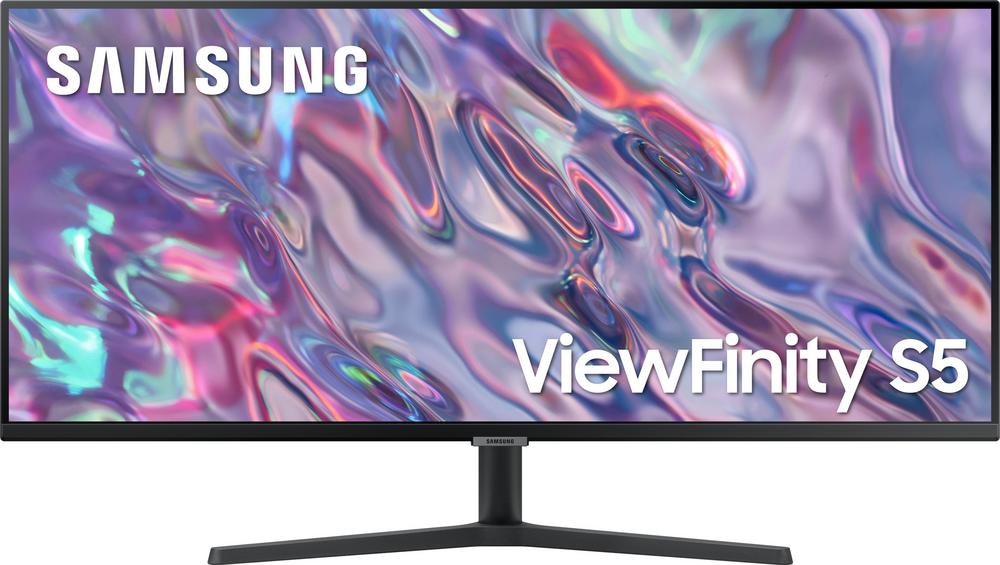
The Samsung ViewFinity S34C is a 34-inch ultrawide monitor designed to replace a dual-screen setup with one clean, expansive display. With a 21:9 UltraWide Quad HD resolution, 100Hz refresh rate and AMD FreeSync support, it’s clearly aimed at people who split their time between productivity and more casual gaming or streaming.
Samsung is a major player in desktop displays, and this model leans on a proven VA panel for strong contrast and rich colours rather than chasing bleeding-edge specs. At this price, it sits in the competitive mid-range of ultrawides, offering more speed and features than basic office monitors without drifting into premium gaming territory.
With a user rating of 4.8 out of 5 from a solid number of reviews, owners are clearly happy with what it delivers, especially for office use and immersive multitasking.
The ViewFinity S34C is ideal if you currently juggle two smaller screens for work and want to tidy things up. The 34-inch, 21:9 canvas gives you space for multiple windows side by side, making it well suited to spreadsheets, timelines, and everyday office tasks.
It’s a strong fit for home workers and small-office users who want a step up from a standard 24–27 inch monitor without going into very high-end territory. The UWQHD resolution keeps text sharp and detailed while giving you that panoramic feel.
Casual and mid-level gamers will also appreciate the 100Hz refresh rate and AMD FreeSync support, which help smooth out motion in fast-paced titles and reduce tearing, especially if you have a compatible AMD graphics card.
If you’re a competitive esports player chasing extremely high refresh rates and advanced ergonomics, or if you need colour-critical accuracy for professional design and grading, this model is better viewed as an excellent all-rounder rather than a specialist tool.
The 34-inch ultrawide UWQHD (3440 x 1440) panel offers a huge boost in usable space over a standard 16:9 screen, making multitasking far easier and media more immersive.
A 100Hz refresh rate combined with a 5ms response time strikes a good balance between smooth gaming and everyday usability, noticeably slicker than traditional 60Hz office monitors.
AMD FreeSync support helps to minimise screen tearing and stutter when paired with a compatible graphics card, particularly useful in action games and fast-moving video.
The VA panel delivers a strong 3000:1 contrast ratio and supports HDR10, so dark scenes look deeper and more cinematic than on many budget IPS office displays.
Thin bezels and a clean, flat design keep it looking modern on the desk, with HDMI and DisplayPort options giving you easy connectivity to PCs, laptops and consoles.
Picture-in-Picture and HDR streaming support are helpful extras if you like to display two sources at once or watch HDR content alongside your work.
There are no built-in speakers, so you’ll need separate speakers or a headset for audio, which adds to desk clutter if you were hoping for an all-in-one solution.
The stand only tilts and is not height adjustable, which may mean you need a monitor arm or riser for ideal ergonomics, especially if you spend long hours at your desk.
Energy efficiency is rated G, and power consumption is fairly typical rather than frugal, so it’s not the most eco-conscious choice if your monitor is on all day.
There’s no USB hub built in, meaning you don’t get handy front-of-desk USB ports for peripherals that many office-focused displays now include.
The 1-year manufacturer warranty is on the short side compared with some rivals that offer longer cover, which is worth bearing in mind for a key piece of desk hardware.
Living with the ViewFinity S34C is largely about enjoying that expansive 21:9 workspace. With 3440 x 1440 pixels, you can comfortably run two full-size windows side by side or keep a timeline, email and chat visible at the same time. Text and interface elements look sharp at this size, and the 300-nit brightness is ample for most home and office environments.
The flat panel and thin bezels make it feel modern and unobtrusive on the desk. At roughly 81.6cm wide, it needs a reasonably deep desk, but once in place it quickly becomes the focal point of your setup. The tilt adjustment (-2 to 22 degrees) allows for a basic comfort tweak, but the lack of height adjustment is noticeable if you’re particular about posture; many users will benefit from a stand or VESA arm.
Setup is straightforward. You get both AC power and HDMI cables in the box, and the external power supply keeps the rear of the monitor slim. With two HDMI 2.0 ports and one DisplayPort 1.2, connecting a PC plus a laptop or console is easy, and the headphone socket simplifies audio routing to a headset.
For long sessions, features like flicker-free technology and a blue-light reduction mode are genuinely useful. They help reduce eye strain when you’re staring at the screen for hours, whether that’s for work, browsing or extended gaming evenings.
At the heart of the ViewFinity S34C is a 34-inch VA panel running at 3440 x 1440. The VA technology delivers that impressive 3000:1 contrast ratio, so blacks look deeper and colours stand out more vividly than on many cheaper IPS office displays. Combined with 16.7 million colours and HDR10 support, films and games get a more cinematic feel, particularly in darker scenes.
The 100Hz refresh rate gives a clear step up in motion smoothness over 60Hz screens, whether you’re scrolling through long documents or panning across a game world. A 5ms response time is fast enough for most users; while not at the level of high-end esports monitors, it keeps ghosting and blur to a minimum in everyday use.
AMD FreeSync support is a key gaming-friendly feature. When used with a compatible graphics card, it synchronises the monitor’s refresh rate with the frame rate from your PC, reducing tearing and stutter. That makes a noticeable difference in fast-paced titles without you needing to tinker with settings constantly.
For productivity, wide 178° viewing angles mean that colours and contrast remain consistent across the width of the screen and when you’re viewing from off-centre, handy if you occasionally share the screen with a colleague. Picture-in-Picture lets you display two sources at once, for example a work PC alongside a laptop or media device, which is a real bonus for multitaskers.
Connectivity is well judged for a modern desk setup: two HDMI 2.0 ports and a DisplayPort 1.2 cover most PCs, laptops and consoles, while HDCP support ensures protected content plays back without issue. The omission of a USB hub and speakers keeps the spec lean but may disappoint if you were hoping for a single-cable desktop solution.
For a 34-inch ultrawide with a UWQHD resolution and 100Hz refresh rate, the ViewFinity S34C offers a very solid feature set for the money. It comfortably outpaces basic 60Hz office monitors and many 1080p ultrawides, yet it doesn’t carry the premium price tag of high-refresh, RGB-laden gaming screens.
The strong user rating of 4.8 out of 5 from 25 reviews suggests that buyers feel they’re getting good performance and reliability for the price. The blend of high contrast, HDR10 support, FreeSync and decent brightness makes it versatile for work, casual gaming and streaming without you needing separate displays.
You do miss out on niceties like height adjustment, built-in speakers and a USB hub, and the warranty is only one year. If those extras are high on your priority list, you might find better-specified options at a higher price. But if what you value most is screen space, smoothness and picture quality, this model represents attractive value in the mid-range ultrawide market.
The Samsung ViewFinity S34C is a well-balanced 34-inch ultrawide that nails the essentials: a sharp UWQHD resolution, strong contrast, a smoother-than-standard 100Hz refresh rate and FreeSync to keep games and video running cleanly. It’s a particularly strong choice if you’re upgrading from a pair of smaller monitors and want a cleaner, more immersive workspace.
It isn’t the last word in ergonomics or connectivity, lacking height adjustment, speakers and a USB hub, and the warranty is relatively short. Competitive gamers and colour-critical creatives may also prefer more specialised screens.
For most home workers, mixed-use users and casual gamers, though, it offers an excellent blend of size, performance and price. If you want a capable, good-looking ultrawide that can handle both spreadsheets and space battles without breaking the bank, the ViewFinity S34C is easy to recommend.
