Home » Product Reviews » Computing » Laptops » Acer Aspire Go 14 AG14-21P 15.6″ Laptop review
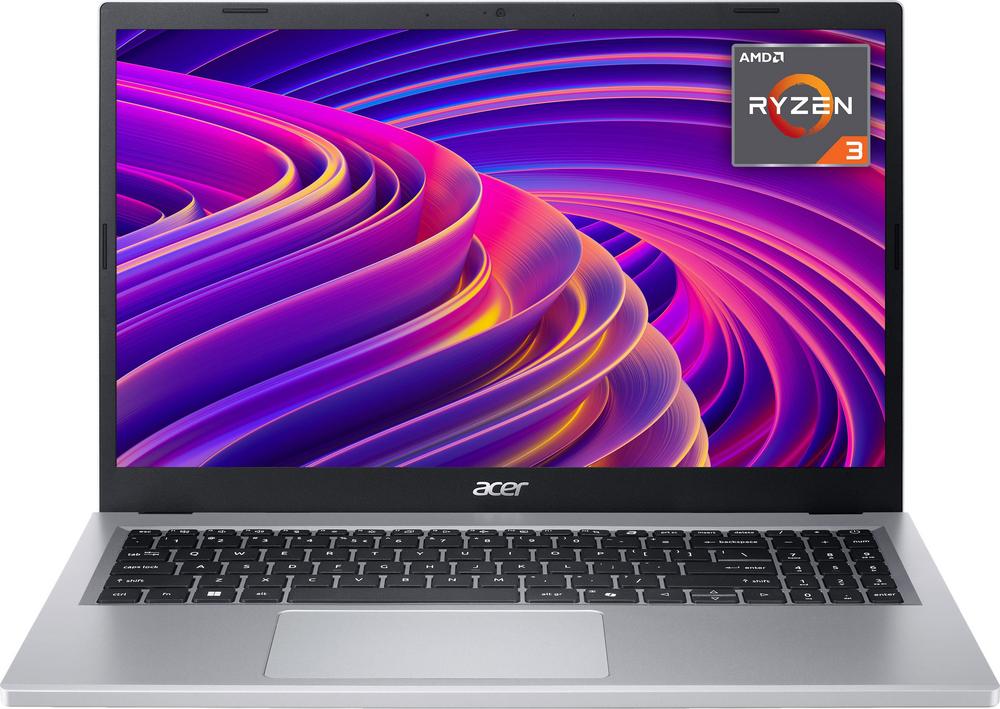
The Acer Aspire Go 15.6″ is a straightforward Windows 11 laptop aimed squarely at everyday tasks – browsing, documents, streaming and a bit of light multitasking. With an AMD Ryzen 3 processor, 8GB of fast LPDDR5 memory and a 256GB NVMe SSD, it’s clearly designed for practicality rather than power-hungry creative work or gaming.
Acer has a strong track record in affordable laptops, and this model fits that mould: functional, no-frills and keenly focused on value. The Full HD display, generous battery claim and modern ports make it a solid option for home, student and office use.
A user rating of 4.8 out of 5 from owners is a strong sign that, for its intended role, it generally delivers on expectations.
This Aspire Go is best suited to students, home workers and families who need a reliable everyday machine for web browsing, emails, Office-style work and video calls. The Ryzen 3 processor and 8GB of RAM are well matched to this kind of workload and will feel noticeably snappier than older budget laptops with mechanical hard drives.
If you’re looking for a reasonably priced Windows 11 device that will happily handle schoolwork, spreadsheets, presentations and streaming in Full HD, this fits the bill. The 256GB SSD gives enough space for documents, course materials and a sensible selection of apps without feeling cramped straight away.
It’s also a sensible option for anyone who prefers a full‑size 15.6″ screen and numeric keypad for comfortable typing and number entry, whether that’s for work expenses, home budgeting or light data work.
However, it’s not intended for serious gamers, video editors or design professionals. The integrated graphics, modest processor and TN display tech are fine for casual use, but demanding creative workloads and colour‑critical tasks will be better served by a more powerful, higher‑spec machine.
The combination of an AMD Ryzen 3 7320U processor and 8GB of LPDDR5 RAM gives snappy performance for everyday tasks, especially compared with older budget systems. Paired with a 256GB NVMe SSD, boot times and app launches should feel quick and responsive.
The 15.6″ Full HD display provides ample screen real estate for multitasking, with enough space to comfortably work with documents side by side or enjoy streaming content in 1080p. A full numeric keypad is a nice bonus at this price for anyone who regularly works with figures.
Connectivity is well thought out: you get two USB‑C ports, a USB‑A port, HDMI and a headphone/microphone combo jack, so plugging in external displays, storage or wired headsets is straightforward. Bluetooth 5.2 support makes it easy to pair wireless peripherals.
Battery life is quoted at up to 17 hours, which, even allowing for real‑world use being lower, suggests it should comfortably last a full working or school day away from the plug for lighter workloads. The inclusion of an HD webcam and dual microphones will also help keep video calls clear enough for meetings and virtual classes.
The screen uses TN panel technology with a relatively low 220‑nit brightness and 45% NTSC colour gamut, so colours won’t look as rich or accurate as on IPS displays, and viewing angles are likely to be more limited. If you care about photo work or watching films with the best possible image quality, this may feel like a compromise.
With only 8GB of memory and no discrete graphics, it’s not ideal for heavy multitasking, modern gaming or intensive creative software. It will cope with light editing and everyday apps, but users with more demanding needs could hit its limits.
Storage at 256GB is acceptable for documents and a moderate app library, but large media collections or lots of big games will quickly eat into that space. You may find yourself relying on external drives or cloud storage sooner than you’d like.
The 1‑year manufacturer warranty is fairly standard but not generous. If you’re buying this as a main work or study machine, factoring in the cost of extended cover might be wise.
Day to day, the Acer Aspire Go should feel straightforward and unfussy to live with. Windows 11 Home comes pre‑installed, and the fast NVMe SSD means setup, updates and general navigation should feel smooth with little waiting around.
The 15.6″ Full HD screen gives you a decent amount of space for Word documents, browser tabs and video calls, and the full‑size keyboard with numeric keypad is useful if you spend a lot of time typing or working with spreadsheets. The touchpad is the main pointing device and should be perfectly adequate for on‑the‑go use, though many users will still prefer to add a USB or Bluetooth mouse.
For remote work and study, the built‑in HD webcam, dual microphones and stereo speakers make video calls and online classes easy to join without extra accessories. Quality will be functional rather than cinematic, but good enough for everyday communication.
Port selection is refreshingly modern: two USB‑C ports and an HDMI output make it simple to dock the laptop to a monitor, charger and peripherals at a desk, then unplug and go. With a claimed battery life of up to 17 hours and a 53Wh battery, you can realistically expect a full day of light to moderate use away from a socket, which is reassuring for commuters and students on campus.
At its core, this laptop is powered by an AMD Ryzen 3 7320U processor with four cores and eight threads, running at 2.4GHz with boost up to 4.1GHz. That’s more than capable of handling web browsing, document work, email, video calls and light multitasking without feeling sluggish, especially when paired with fast LPDDR5 memory.
The 8GB of RAM will happily support a couple of productivity apps, a browser with a reasonable number of tabs and streaming in the background. If you regularly run heavy software or have dozens of tabs open at once, though, you may notice it slowing down; this spec is clearly aimed at mainstream rather than power users.
Graphics are handled by integrated on‑board graphics, which are fine for HD video playback and very casual games, but not for modern AAA titles or GPU‑accelerated creative work. This is in line with other budget‑friendly 15.6″ laptops, where efficiency and cost matter more than raw graphical muscle.
Storage is a 256GB NVMe SSD, which is a meaningful upgrade over older SATA drives and makes a big difference to how responsive the system feels. There’s enough room for Windows, office software and a good selection of files, but heavy media users will want to add external or cloud storage.
On the feature side, you get a Full HD 1920 x 1080 display with a 60Hz refresh rate and 16:9 aspect ratio – ideal for standard work and entertainment – along with Bluetooth 5.2, an HD webcam, dual microphones and stereo speakers. The inclusion of a dedicated Copilot key points to tight integration with Windows 11’s newer tools, which some users will appreciate for quick access to search and assistance.
At around £425, the Acer Aspire Go 15.6″ sits comfortably in the affordable to mid‑range bracket for Windows laptops. For that outlay you’re getting a modern Ryzen 3 processor, 8GB of fast RAM, a speedy NVMe SSD and a Full HD display – a solid mix of essentials rather than headline‑grabbing extras.
The strong 4.8 out of 5 owner rating suggests that people buying at this price point generally feel they’ve had good value, particularly when you factor in the long claimed battery life and versatile port selection. It’s not the cheapest 15.6″ laptop you’ll find, but it avoids the more frustrating compromises often seen at the very bottom end, such as tiny storage or low‑resolution screens.
If you need colour‑accurate visuals, a higher‑end processor or more storage, you’ll likely have to spend more. But for students, home users and office workers who simply want a reliable, Full HD Windows laptop that feels quick for everyday tasks, this model offers very respectable value.
The Acer Aspire Go 15.6″ is a well‑judged everyday laptop that focuses on the things most people actually need: a sharp Full HD screen, a modern Ryzen processor, enough RAM and storage for daily tasks, and strong battery life claims. It’s not trying to be a gaming rig or a creative workstation, and within those limits it performs very well.
It’s an ideal fit for students, remote workers and families who want a dependable machine for documents, browsing, streaming and video calls, with enough connectivity to plug into a desk setup when needed. The high user rating backs up the impression that it delivers a smooth, frustration‑free experience for this kind of usage.
If you’re after top‑tier screen quality, more power for heavy creative work or lots of local storage, you should look further up the range. But if your priority is a sensibly priced, good‑quality 15.6″ Windows laptop that gets the basics right and should last through several years of everyday use, the Aspire Go is a very strong contender.
