Home » Product Reviews » Computing » Monitors & Projectors » Monitors » MSI Pro MP161 E2U 15.6″ Full HD 60Hz Portable Monitor review
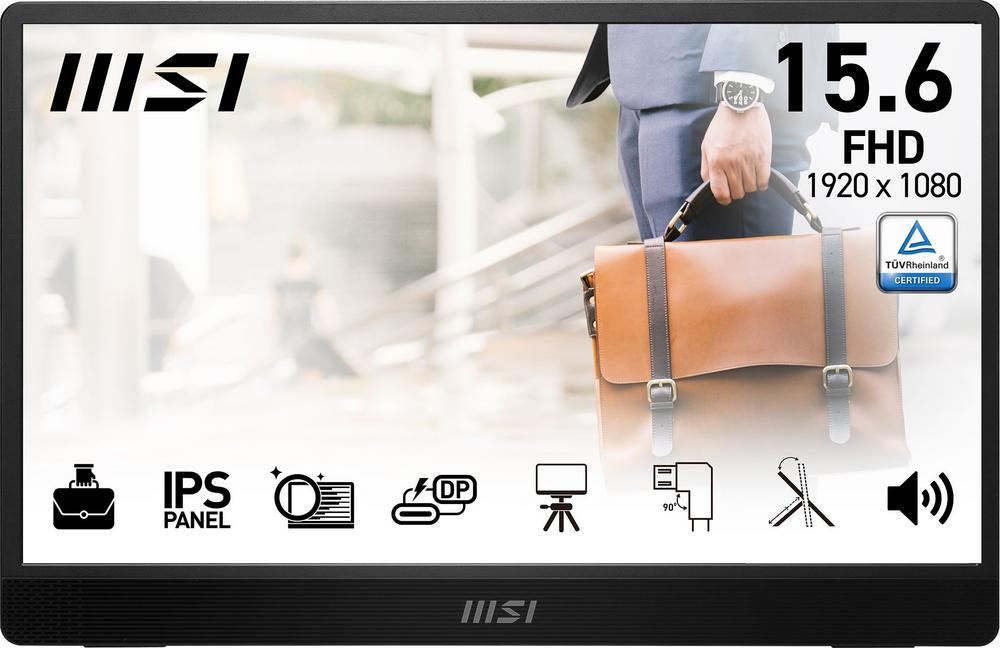
The MSI Pro MP161 E2U is a 15.6-inch Full HD portable monitor designed for people who need a proper second screen away from the desk. With a slim 1.9 cm profile, light weight and a simple one-cable USB-C connection, it’s built to slip into a laptop bag and set up in seconds.
MSI is well known for its monitors and laptops, and this model aims squarely at mobile professionals, students and anyone hot-desking between home, office and coffee shop. The spec sheet is sensible rather than flashy, focusing on a good quality IPS panel, built‑in speakers and eye comfort features like blue light reduction.
Owners clearly rate it too – with an average score of 4.6 out of 5 from a decent number of reviews, it comes across as a dependable, well-liked portable display rather than an experimental gadget.
The MSI Pro MP161 E2U is ideal if you regularly work from different locations and miss having a second monitor. Paired with a laptop, it gives you extra space for spreadsheets, editing documents or keeping video calls off your main screen without taking over your bag.
Students and hybrid workers will appreciate how easy it is to carry and set up. The 15.6-inch size matches most mainstream laptops, so it feels natural to work across both displays. If you’re often in shared spaces, the wide 170° viewing angles are handy for showing content to a colleague across the table.
It’s also a good fit if you’re on a mid-range budget. At this price you’re not paying a premium for niche features like touch input or 144Hz gaming refresh rates, but you are getting a proper IPS Full HD panel, USB‑C, HDMI and built‑in speakers.
Casual gamers or creators on the move may also find it useful. The 4 ms response time and Adaptive-Sync mean it can comfortably handle light gaming, video playback and basic photo or video editing, though serious competitive gamers will still want a higher refresh rate display at home.
The 15.6-inch Full HD IPS panel strikes a sweet spot for clarity and portability. Text and spreadsheets look sharp, and colours are more consistent than you’d get from a basic TN panel, helped by sRGB colour support and wide 170° viewing angles.
Connectivity is well thought through for modern laptops. USB Type‑C support means you can often send video and power over a single cable, cutting down clutter in your bag and on the table. There’s also an HDMI port, so you can plug into a desktop PC, console or older laptop easily.
For a portable monitor, it’s feature rich. You get Adaptive-Sync for smoother motion, a 4 ms response time to keep blur down in games and video, and built‑in stereo speakers, which save you carrying separate travel speakers for basic audio.
Eye comfort is another plus. Blue Light Reduction and MSI’s EyesErgo features are designed to make long sessions more comfortable, which matters if you’re staring at slides, code or reports all day. Power consumption is low too, at just 7 kWh per 1000 hours in SDR, so it’s efficient whether you’re running it from mains or a laptop battery.
The 60Hz refresh rate is perfectly fine for office work and casual gaming, but if you’re into high‑frame‑rate competitive titles, this won’t replace a fast 120Hz or 144Hz gaming monitor.
Brightness is specified at 250 nits, which is standard for indoor use but can feel a bit dim in bright, sunlit spaces – something to keep in mind if you often work right by a window or outdoors.
There’s no touchscreen functionality or VESA mount support, so you’re limited to using the integrated stand and traditional mouse/keyboard inputs. That’s acceptable at this price, but some rivals do offer more flexibility.
Finally, the contrast ratio of 800:1 is typical for an IPS panel at this level, yet it does mean blacks won’t look as deep and punchy as on a good VA or OLED screen, especially for film watching in dark rooms.
Day to day, the MSI Pro MP161 E2U is all about simplicity. Its slim 1.9 cm profile and compact 36.3 x 23.4 cm footprint mean it slides into most laptop sleeves or backpacks without fuss, and it doesn’t add much weight to your load.
Setup is straightforward: plug in the USB‑C cable to a compatible laptop and you’re effectively done. If your device doesn’t support video over USB‑C, you can fall back to HDMI and USB for power. The tiltable design, with up to 180° of movement, lets you quickly adjust the angle whether you’re sitting at a desk, kitchen table or cramped hotel room workspace.
Built‑in speakers simplify life on the move. They’re not going to rival a dedicated sound system, but for online meetings, YouTube clips or background music they’re entirely adequate and save you hunting for headphones on every call.
Eye comfort features such as Blue Light Reduction and MSI EyesErgo are noticeable if you’re working for several hours. The image remains easy to look at, and combined with the IPS viewing angles, it’s comfortable whether you’re directly in front or slightly off to the side. With no complicated software or smart features to wrestle with, it behaves much like a standard monitor – just one you can fold away and take with you.
The Full HD 1920 x 1080 resolution on a 15.6-inch panel delivers crisp detail without putting heavy demands on your laptop’s graphics. This is ideal for everyday productivity, web browsing, coding and light creative work. The IPS technology ensures colours stay accurate and consistent even when you’re not sat perfectly centred.
A 4 ms response time is impressive for a portable screen, keeping motion reasonably sharp in videos, scrolling documents and casual games. Paired with Adaptive-Sync, it helps reduce tearing and stuttering when the frame rate fluctuates, making it a smoother experience than many basic 60Hz portable panels.
Connectivity is a strong point. One HDMI port covers traditional devices, while two USB ports, including USB Type‑C, provide flexible power and signal options. Having both means you can connect newer ultrabooks that rely on USB‑C as well as older laptops and desktops that still lean on HDMI.
On the audio side, the twin speakers with 3 watts of total power are a useful bonus. They’re more of a convenience feature than a selling point, but they make the MP161 E2U more self‑contained when you’re travelling or working in a meeting room.
Energy efficiency is also noteworthy. With just 7 kWh consumption per 1000 hours (in SDR) and a 0.5 watt standby draw, it’s gentle on both your electricity bill and, when powered via USB‑C, your laptop’s battery. The two‑year manufacturer warranty adds peace of mind given how often a portable screen is likely to be moved around and packed away.
At £98, the MSI Pro MP161 E2U sits in the affordable end of the portable monitor market, especially for a branded IPS model with both USB‑C and HDMI. You’re not paying a premium for extras like touch or ultra‑high refresh rates, but you are getting a solid all‑rounder that covers the essentials very well.
The combination of Full HD resolution, IPS panel, Adaptive-Sync, built‑in speakers and eye comfort features makes the spec sheet feel complete for the price. While there are cheaper no‑name options, they often compromise on panel quality, connectivity or warranty – areas where this MSI looks stronger.
The 4.6/5 owner rating reinforces the sense of good value. When buyers consistently report being happy with their purchase at this price point, it’s a strong indicator that the balance of cost and capability is right. If your main aim is to extend your laptop workspace without overspending, it offers very competitive value for money.
The MSI Pro MP161 E2U is a well-judged portable monitor that focuses on the things mobile workers actually need: a sharp, comfortable IPS display, genuinely useful connectivity and a design that’s easy to carry and quick to set up. It feels thoughtfully put together rather than gimmicky.
It isn’t aimed at hardcore gamers or creatives chasing the absolute best image quality. The 60Hz refresh rate, modest brightness and lack of mounting options are all signs that this is a practical, mid-range tool rather than a specialist display.
If you want an affordable, reliable second screen for your laptop – whether for working from home, studying in the library or presenting on the go – the MP161 E2U is a strong choice. Those who need touch input, ultra‑bright outdoor use or high‑refresh gaming should look elsewhere, but for most people who simply need more screen space wherever they are, it’s an easy product to recommend.
