
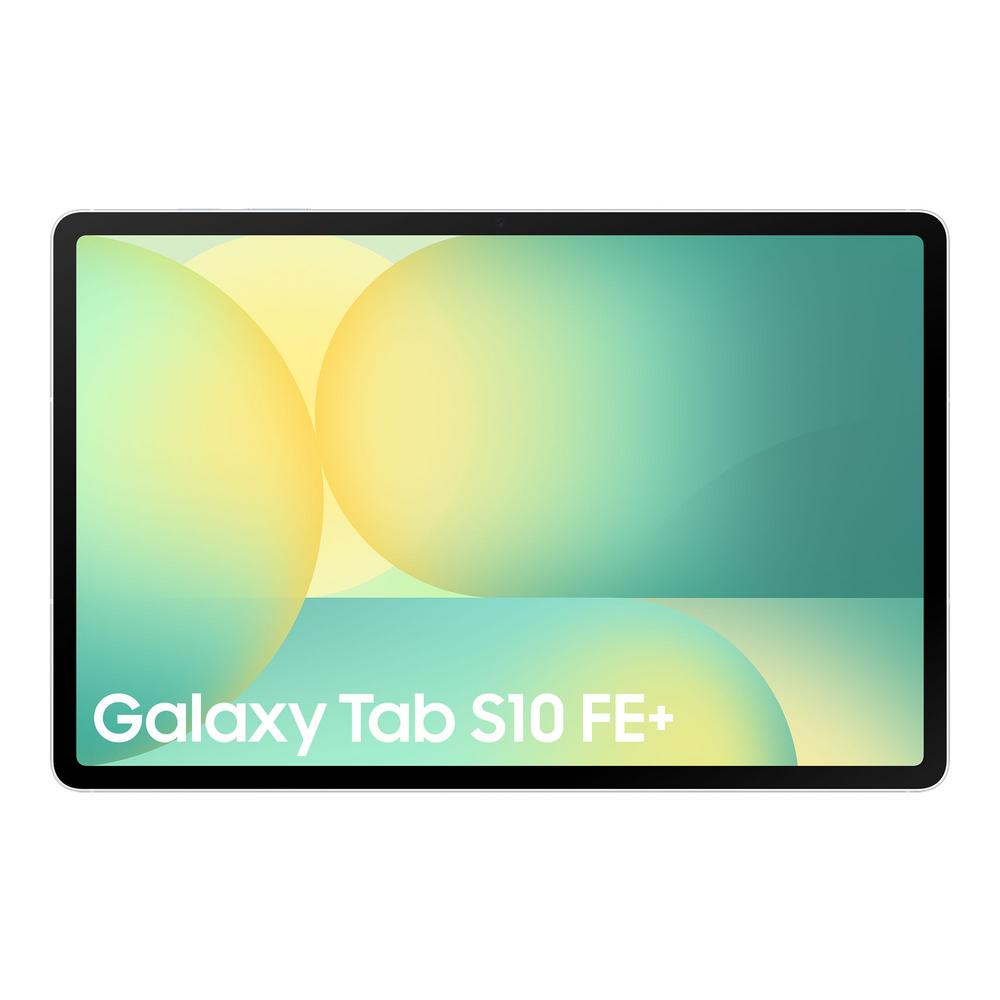
Tablets have quietly become the go-to gadget for streaming, study, light work and everything in between. If you’re thinking about something around the 11-inch mark, the Samsung Galaxy Tab S10 FE 10.9" 256GB WiFi Tablet sits in a sweet spot: big enough to do real tasks, compact enough to go everywhere with you.
In this guide, we’ll look at what a tablet like the Galaxy Tab S10 FE is best at, who it suits, and how it compares to newer options such as the Samsung Galaxy Tab S11 10.9" 128GB WiFi Tablet. We’ll focus on practical buying advice and real-world use, and if you want deep dives into benchmarks and hands-on impressions, you can read our full review of the Samsung Galaxy Tab S10 FE 10.9" 256GB WiFi Tablet.
Who is a 10.9" tablet really for?
The 10.9-inch size is the modern all-rounder for tablets. It’s large enough to enjoy films and TV, read comfortably and type on a split on-screen keyboard, but it doesn’t feel unwieldy in one hand.
The Samsung Galaxy Tab S10 FE is a classic example of this balance. With a 10.9-inch display and a slim design, it’s built for people who want:
- Something lighter and more relaxed to use than a laptop
- A screen that’s big enough for proper multitasking and video calling
- A device that can move seamlessly from sofa to desk to train seat
If you’re a student, home worker, or someone who spends a lot of time streaming, this size gives you a comfortable experience without feeling like you’re carrying a full computer around.
Storage choices: is 256GB on a tablet overkill?
One of the headline features in the Samsung Galaxy Tab S10 FE 10.9" 256GB WiFi Tablet is right there in the name: 256GB of storage. That’s more space than many entry-level laptops, and it makes a big difference to how freely you can use your tablet.
With 256GB, you can:
- Download multiple streaming series for offline viewing
- Install large games without constantly deleting older ones
- Keep work documents, lecture notes and offline PDFs accessible at all times
- Store a sizeable photo and video library locally
By contrast, newer models such as the Samsung Galaxy Tab S11 10.9" 128GB WiFi Tablet may prioritise the latest generation of processor and other refinements, but with 128GB of storage, you’ll need to be a little more organised with what you keep on the device.
If you know you’ll be downloading lots of games or watching offline content on long journeys, the 256GB capacity on the Tab S10 FE gives you valuable headroom. On the other hand, if you mainly stream over Wi-Fi and use cloud services, 128GB on a newer tablet may be ample.
Everyday experiences: what a tablet like this does best
Instead of obsessing over raw specs, it’s helpful to think in terms of real-world routines. A tablet in this class is particularly good at three things: entertainment, light productivity, and casual creativity.
Streaming and entertainment
With a sharp 10.9-inch screen, the Galaxy Tab S10 FE is made for streaming. The size feels surprisingly cinematic when you’re holding it close, and the portable form factor means you can comfortably watch in bed, in the kitchen or on the train.
When choosing between the S10 FE and something like the Tab S11, think about your priorities:
- If you primarily stream at home on Wi-Fi and care about storage for downloads, the 256GB S10 FE stands out.
- If you want the latest-generation internals and are comfortable juggling storage, the 128GB Tab S11 may appeal.
Light work and study
Tablets like the Galaxy Tab S10 FE have evolved beyond pure entertainment. With a physical keyboard (optional) and familiar office and note-taking apps, they’re perfectly capable of handling essays, reports and emails.
The 10.9-inch display strikes a useful balance for productivity:
- Comfortable for two-column layouts and split-screen multitasking
- Big enough to see a whole page of a document without constant zooming
- Portable enough to use on a cramped library desk or café table
If you want to get a sense of how the Galaxy Tab S10 FE behaves with keyboards, multitasking and everyday work apps, you can read the full Galaxy Tab S10 FE tablet review here.
Drawing, notes and casual creativity
Modern tablets are also brilliant for handwritten notes and sketching. Screen size matters here: 10.9 inches gives you a decent canvas for diagrams, mind maps and quick doodles without feeling like you’re drawing on a postcard.
Whether you’re annotating PDFs, planning projects, or doing light illustration, a tablet in this range sits in a comfortable middle ground: big enough to be expressive, not so big that you hesitate to pull it out on the go.
Choosing between generations: S10 FE vs S11-style tablets
It’s natural to wonder whether you should stick with a feature-rich model like the S10 FE or move to a newer generation such as the Samsung Galaxy Tab S11 10.9" 128GB WiFi Tablet. The answer depends on what you value most.
Performance versus capacity
Newer tablets tend to bring refinements in processor power and efficiency. That can mean smoother performance in demanding apps, more responsive multitasking and longer support windows for software updates.
However, day-to-day tasks like streaming, browsing and office work rarely push a mid-to-upper-range tablet to its limits. In many cases, the difference you feel will come down to how aggressively you multitask and what kinds of apps you use. If you’re a heavy gamer or routinely keep many apps open, the newer hardware in models like the Tab S11 will appeal. If you mostly use lighter apps but want more local storage, the 256GB S10 FE is very compelling.
Price and value over time
As newer models arrive, slightly older tablets can become very good value, especially when they already offer generous storage. Buying something like the Galaxy Tab S10 FE with 256GB gives you room to grow into your device rather than watching the storage bar creep towards full.
Meanwhile, spending a little more on the latest generation, such as the Galaxy Tab S11 10.9" 128GB WiFi Tablet, may give you longer official software support, fresher internals and potentially some extra features. It’s worth comparing current prices and seeing which combination of performance, storage and longevity makes sense for your budget.
Wi-Fi only tablets: when is that enough?
The hero model here, the Samsung Galaxy Tab S10 FE 10.9" 256GB WiFi Tablet, is a Wi-Fi tablet rather than a cellular one. That’s ideal if you mostly use your tablet at home, in the office or at school where Wi-Fi is available.
For most people, Wi-Fi-only is absolutely fine because:
- You can tether to your phone using mobile hotspot when you’re out and about
- You don’t need a separate data plan for the tablet
- The tablet itself is usually cheaper than its 5G equivalent
If you regularly commute on trains with poor Wi-Fi, work on the go or travel internationally, paying more for a cellular tablet can make sense. For everyone else, a Wi-Fi model is usually the smarter, more cost-effective choice.
Practical tips for buying a mid-size tablet
Before you commit to any 10–11-inch tablet, it’s worth thinking through a few practical points. These will help you decide whether something like the Galaxy Tab S10 FE is right for you or whether to move up to a newer alternative.
1. List your must-have apps and tasks
Write down what you use a tablet for today, and what you’d like to do with a new one. Common tasks include:
- Streaming video and music
- Video calling friends, family or colleagues
- Browsing and online shopping
- Note-taking for school, training or work
- Light photo editing or creative drawing
- Casual gaming
Once you have that list, look at a tablet’s review to see how it copes with those specific tasks. For the S10 FE, you can find a breakdown of real-world performance in the full Samsung Galaxy Tab S10 FE 10.9" 256GB review.
2. Think about accessories from day one
Accessories can change how you use a tablet more than you might expect. A keyboard cover makes a big difference if you type regularly, and a stylus is a game-changer for note-taking and sketching.
Check what’s included in the box and what’s optional. Factor cases, screen protectors and input accessories into your budget so you’re not surprised later. Having them from day one also keeps your tablet in better condition and makes it easier to get into productive habits.
3. Plan your storage strategy
With a 256GB tablet like the Galaxy Tab S10 FE, you’ve got breathing space from the start. Even so, it’s still worth thinking about how you’ll use that space:
- Keep very large files (like raw photos) in cloud storage where possible
- Regularly clear downloads you don’t need locally anymore
- Check whether your streaming apps allow you to limit download quality to save space
If you opt for a 128GB model such as the Galaxy Tab S11, being organised with storage is even more important. It’s perfectly manageable, but you’ll want to avoid hoarding apps and downloads you never use.
Living with a tablet: care, maintenance and longevity
Whatever model you choose, a few simple habits will help your tablet stay faster and feel newer for longer.
Protecting the screen and body
A good case and screen protector are genuinely worthwhile, especially for a mid-size tablet that gets carried around a lot. The slim bezels on modern designs look great but can make accidental drops more likely when you’re holding them one-handed.
Look for a case that:
- Protects the corners (where drops do the most damage)
- Has a stable stand for watching films and video calls
- Doesn’t add too much bulk, so you still enjoy the tablet’s portability
Keeping performance snappy
Even capable tablets can feel sluggish if they’re crammed full or running old apps. Every few months, it’s worth:
- Removing apps you haven’t opened in ages
- Clearing out large downloads that are no longer needed
- Restarting the tablet to clear temporary files and background processes
On a tablet with solid internals like the S10 FE or the newer S11, these small steps can noticeably improve day-to-day smoothness.
Battery care basics
Modern tablet batteries are designed to cope well with everyday charging habits, but a few tweaks can help them last longer:
- Avoid letting the battery hit 0% regularly; topping up earlier is kinder to it
- Don’t leave the tablet in very hot cars or direct sunlight for long periods
- Use decent-quality chargers and cables that are compatible with your device
Over time, you’ll naturally see some battery wear, but with typical tablet use you should get several years of comfortable battery life before it becomes an issue.
When a tablet is the right choice (and when it isn’t)
Tablets are brilliant at combining relaxed browsing and entertainment with enough productivity to make them genuinely useful devices. A 10.9" model like the Samsung Galaxy Tab S10 FE is ideal if you want something more capable and comfortable than a phone but less serious and bulky than a laptop.
It’s especially well suited to:
- Students who mix note-taking, reading and streaming
- Home workers who want a second screen or a light device for emails and calls
- Families sharing a device for browsing, homework and media
If your work demands complex software, multiple full-size monitors or heavy-duty content creation, a traditional laptop or desktop still makes more sense. But for a lot of everyday life, tablets hit a very comfortable middle ground.
Final thoughts
Choosing a tablet today is less about chasing the latest spec sheet and more about finding the right balance of size, storage, performance and price for your life. The Samsung Galaxy Tab S10 FE 10.9" 256GB WiFi Tablet offers generous storage and a versatile 10.9-inch form factor that suits a wide range of tasks, while newer options like the Samsung Galaxy Tab S11 10.9" 128GB WiFi Tablet bring fresher hardware with slightly different trade-offs.
Take a moment to think about how you’ll actually use your tablet day to day, then match that to the strengths of each model. When you’re ready to go deeper into performance, cameras, battery life and software, you can dive into our in-depth Samsung Galaxy Tab S10 FE review and explore the detailed breakdowns of the latest alternatives. With a bit of planning, your new tablet should feel like a natural extension of how you already live, work and relax.