
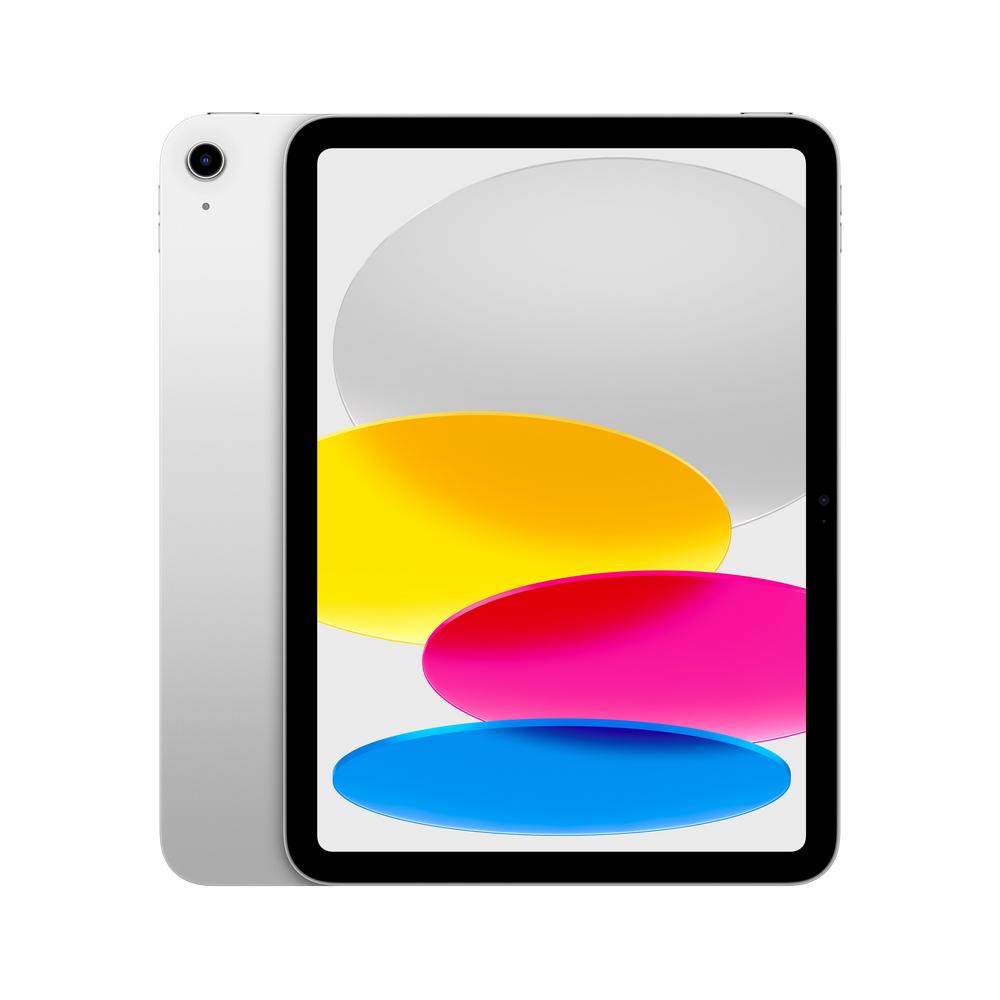
If you’re thinking about buying a new tablet in 2025, there’s a good chance the latest 10.9-inch model from Apple is on your shortlist. The Apple iPad 10.9" 128GB WiFi + Cellular 2025 in Silver has quickly become a go-to choice for people who want a slim, portable device that can handle work, entertainment, and everyday life. But is it worth paying extra for the cellular version, and how does it compare to the Wi‑Fi-only option?
This guide walks you through how to decide between Wi‑Fi and Wi‑Fi + Cellular, how much storage you really need, and what kind of user the 10.9-inch 2025 iPad suits best. If you’d like detailed benchmarks, battery figures and feature breakdowns, you can read our full review of the Apple iPad 10.9" 128GB WiFi + Cellular 2025 once you’ve finished here.
What makes the Apple iPad 10.9" 2025 stand out?
This 10.9-inch model sits in the sweet spot of Apple’s tablet line-up. The screen is big enough for proper multitasking, watching films and working on documents, without feeling unwieldy in one hand or in a small bag. The 128GB storage option is also that comfortable middle ground for most buyers: plenty of room for apps, photos, downloads and offline video without leaping to a much more expensive capacity.
On top of that, the 2025 iteration benefits from Apple’s usual combination of a sleek aluminium design, a bright display and a fast processor tuned for smooth everyday use. With thousands of tablet-optimised apps available, it’s equally at home as a family shared device, a student workhorse or a portable productivity machine for commuters.
With a rating of 4.9 out of 5 from hundreds of owners, it’s clearly hitting the mark for a lot of people. But the big decision is whether to go for this Wi‑Fi + Cellular hero model, or save some money by choosing a very similar Wi‑Fi-only version.
Wi‑Fi vs Wi‑Fi + Cellular: which iPad is right for you?
The main difference between the Apple iPad 10.9" 128GB WiFi + Cellular 2025 and the Apple iPad 10.9" 128GB WiFi 2025 is the way they connect to the internet. Both have Wi‑Fi, but only the cellular version can connect using a mobile data plan, just like your phone.
When the Wi‑Fi + Cellular model makes sense
If you’re often away from reliable Wi‑Fi, the cellular version can transform how useful your tablet is. Think:
- Commuters who want to work, stream or study on the train or bus.
- Field workers who need access to email and documents on-site.
- Parents keeping kids entertained on long car journeys without relying on patchy hotspots.
- Anyone who regularly travels and wants dependable connectivity without draining their phone battery for tethering.
Being able to pop in a SIM or eSIM means you’re not hunting for public Wi‑Fi or fiddling with hotspot settings whenever you open your iPad. Over time, that convenience can easily justify paying extra upfront and budgeting for a monthly data plan.
If that sounds like you, the Apple iPad 10.9" 128GB WiFi + Cellular 2025 is likely the smarter choice. To see how it performs in real-world use, have a look at our in-depth review of the 10.9-inch 2025 Wi‑Fi + Cellular model.
When the Wi‑Fi-only model is better value
On the other hand, many people simply don’t need mobile data on their tablet. If you mostly use your device at home, in the office, at school or university, you’re probably already surrounded by dependable Wi‑Fi. In this case, the Apple iPad 10.9" 128GB WiFi 2025 offers essentially the same core experience for a lower price.
It’s ideal if:
- You mainly stream at home and rarely need to download content on the go.
- Your phone already has a generous data plan and you’re happy to hotspot in the rare moments you need mobile connectivity.
- You’re buying for a child or teenager and want to keep extra data costs under control.
- You prefer to put the saving towards accessories like a keyboard case or pencil instead.
If you’re leaning this way, it’s worth checking out the dedicated write-up of the Wi‑Fi version: our full review of the Apple iPad 10.9" 128GB WiFi 2025 digs into what it’s like to live with day to day.
Is 128GB enough storage on an iPad in 2025?
Storage is one of the biggest decision points when buying a tablet. Go too small and you’ll be forever deleting apps and old photos; go too big and you might be paying for space you never use. For many people, 128GB is a modern sweet spot.
With 128GB, you can comfortably install a wide range of apps, download large games, save documents and keep a decent-sized photo library without micro-managing space. It’s also much better suited to offline entertainment – storing your favourite shows and films when you’re away from Wi‑Fi, something the Wi‑Fi + Cellular model excels at when travelling.
Of course, how quickly you fill 128GB depends on your habits. If you mainly stream music and video, use cloud storage for photos, and don’t play many huge games, you might never hit the limit. But if you have children who love installing every game under the sun, or you regularly download 4K films for flights, it’s worth keeping an eye on storage usage now and again.
Who the Apple iPad 10.9" 128GB WiFi + Cellular 2025 suits best
While this guide isn’t a formal review, it’s useful to think about who this particular configuration is really aimed at. Based on the feature set and the flexibility of mobile data, the 10.9-inch Wi‑Fi + Cellular 2025 model is a great match for:
- Frequent travellers – stay connected in hotels, trains and airports without fighting over public Wi‑Fi.
- Students – download lecture notes on campus, research in the library, and stream lectures on the move.
- Hybrid workers – use it as a lightweight work companion for emails, calls and documents when you’re out of the office.
- Families on the go – keep kids happy with downloaded content and simple games, wherever you are.
Pair it with a keyboard case and you’ve got a very capable laptop alternative for light office tasks. Add a stylus and it doubles as a portable sketchbook or note-taking pad, making the most of that sharp 10.9-inch screen.
Battery, portability and screen size: why 10.9 inches works
There’s a reason the 10.9-inch form factor is so popular. It’s large enough for split-screen multitasking – think running a browser alongside a notes app or messaging window – without tipping into the bulkier feel of a big laptop-style tablet. For streaming, the size feels cinematic enough for films, but still easy to hold in bed or on the sofa.
Battery life on modern tablets in this class is typically strong enough for a full day of mixed use: browsing, email, a bit of video, perhaps a game or two. While the exact hours depend on brightness and apps, owners of the 2025 10.9-inch models consistently report all-day usage without scrambling for a charger by mid-afternoon.
If you’re someone who wants one device that can move seamlessly between rooms, commutes and weekend trips, this balance of size and stamina is a major plus.
Practical tips for getting the most from a new iPad
1. Set up security and backups first
As soon as you unbox your tablet, take a few minutes to set it up properly. Use a strong passcode and biometric unlock so your data stays private, especially important if you’ll be using it on public transport or leaving it in a shared space. Turn on automatic backups so, if the worst happens, your apps and files are easy to restore.
2. Tame your notifications
Tablets are brilliant for focus, but only if they’re not constantly pinging. Go through notification settings app by app and turn off anything that isn’t genuinely useful. This is particularly worthwhile if you’ll be using the Apple iPad 10.9" 128GB WiFi + Cellular 2025 as a work companion – you’ll enjoy the big screen much more if it isn’t cluttered with distractions.
3. Optimise for reading and eye comfort
The 10.9-inch display is excellent for ebooks, PDFs and long articles. Make the most of it by adjusting text size to a comfortable level, using dark mode if it suits your eyes, and trying blue-light reduction features in the evening. Over long sessions, these tweaks can reduce eye strain and make the device feel more like a digital notebook than a bright, glaring screen.
4. Use offline downloads wisely
One of the biggest perks of 128GB storage, especially when combined with cellular, is the ability to download content securely when you’re on a good connection and enjoy it later. Before a holiday or long trip, download films, playlists and reading materials over Wi‑Fi at home to avoid hammering your data plan on the move. That way, the cellular connection can be reserved for lighter tasks like email and maps.
Choosing between this iPad and similar alternatives
Because the Apple iPad 10.9" 128GB WiFi + Cellular 2025 and the Apple iPad 10.9" 128GB WiFi 2025 are so close in design, the decision largely comes down to two things: whether you want mobile data built in, and how you feel about the price difference.
If you’d rather keep costs down and are happy living life on Wi‑Fi alone, the Wi‑Fi-only model remains an excellent all-rounder. You still get the same 10.9-inch screen size, modern design and app ecosystem as the cellular version. For a more detailed comparison, it’s worth reading our full review of the Apple iPad 10.9" 128GB WiFi 2025 alongside the cellular-focused review.
On the other hand, if your days are more unpredictable and you value being able to get online anywhere, that peace of mind can be worth every penny. The cellular iPad becomes a genuinely independent device that doesn’t have to lean on your phone’s hotspot.
How to decide: a quick checklist
If you’re torn between the hero model and its Wi‑Fi-only sibling, run through this simple checklist:
- Where will you use it? Mostly at home or work with Wi‑Fi? Or regularly out and about, commuting, or travelling?
- Do you already hotspot a lot? If you’re often tethering from your phone, built-in cellular can simplify your life.
- What’s your budget? Would you rather spend extra on connectivity, or on accessories like a case, keyboard or stylus?
- How long will you keep it? If you keep devices for years, paying a bit more now for the configuration that truly fits your lifestyle can pay off.
Once you’ve got a feel for your priorities, you can dive into the nitty-gritty performance details in our dedicated product articles. For all the specifics on cameras, real-world battery life and accessory support, head to the full review of the Apple iPad 10.9" 128GB WiFi + Cellular 2025.
Looking after your iPad so it lasts
Whichever version you choose, a little care goes a long way in keeping your tablet feeling fresh for years.
- Invest in a good case – a folio or bumper case can dramatically reduce the risk of cracked corners or smashed glass.
- Add a screen protector – glass protectors preserve the feel of the display while guarding against scratches and minor drops.
- Keep it updated – install software updates promptly to benefit from security patches and performance refinements.
- Manage storage – occasionally delete unused apps and old downloads so your 128GB stays roomy and responsive.
These small habits help your device stay fast, secure and pleasant to use throughout its life span, whether you’re passing it on to a family member later or planning to trade it in for a future upgrade.
Final thoughts
The Apple iPad 10.9" 128GB 2025 generation is a versatile, capable tablet that suits a wide range of households, students and professionals. The big decision isn’t whether it’s good – owner ratings suggest it clearly is – but whether you’re better served by the convenience of Wi‑Fi + Cellular or the simplicity and lower cost of a Wi‑Fi-only model.
Take a moment to think about how and where you’ll actually use your new tablet, then use the links in this guide to explore the detailed product breakdowns. Between our full review of the Apple iPad 10.9" 128GB WiFi + Cellular 2025 and the review of the Wi‑Fi-only 10.9-inch 2025 model, you’ll have everything you need to choose the right version with confidence.