
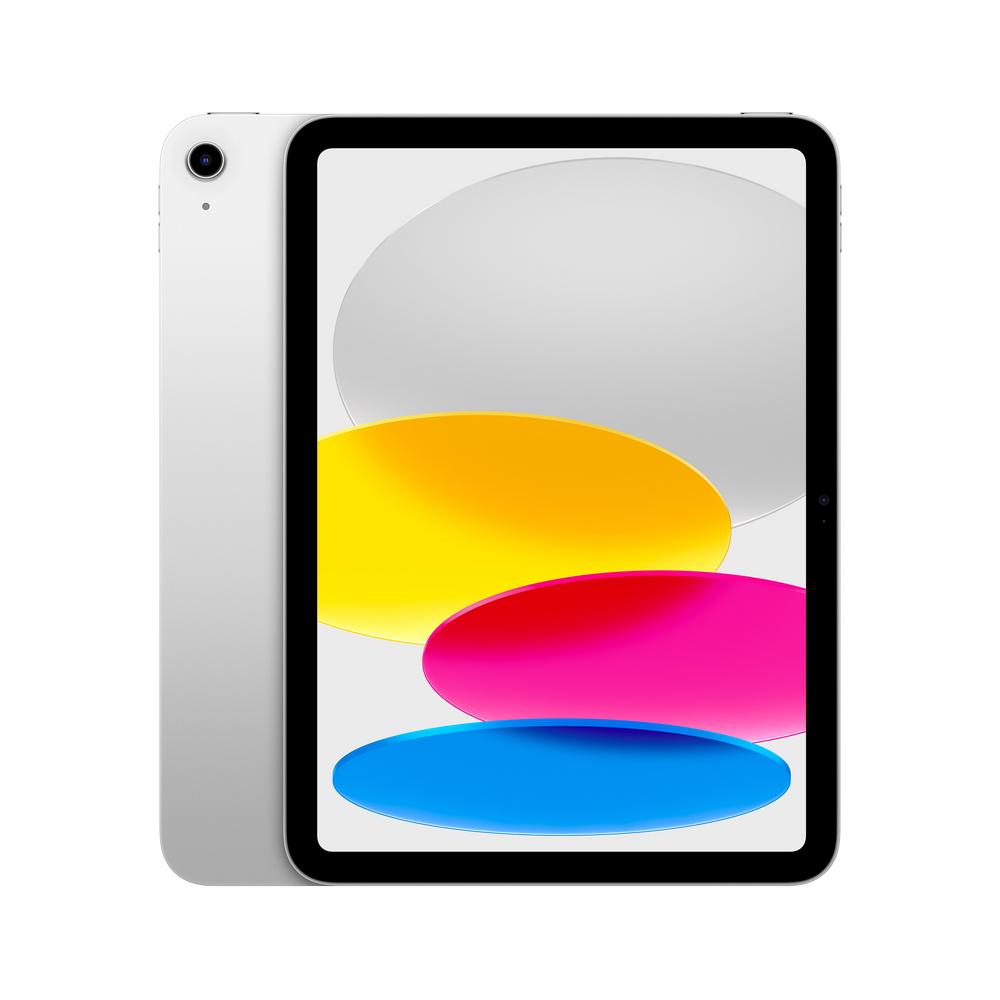
If you’re thinking about a new tablet for 2025 and beyond, the Apple iPad 10.9″ 128GB WiFi + Cellular 2025 in Silver is likely to be high on your shortlist. It hits that sweet spot of a sharp 10.9-inch display, usable 128GB of storage and the freedom of 4G/5G-style connectivity when you’re away from Wi-Fi. In this guide, we’ll walk through who this kind of tablet suits, how to choose between Wi-Fi and cellular, what 128GB really gets you, and how to get the most from an iPad-style device day to day.
Apple iPad 10.9″ 128GB WiFi + Cellular 2025: who is it for?
The Apple iPad 10.9″ 128GB WiFi + Cellular 2025, finished in Silver, is best thought of as an everyday work-and-play tablet with extra flexibility thanks to mobile data. It’s not a tiny compact slate and it’s not a huge laptop-sized screen either; instead, it’s designed to be genuinely portable while still being comfortable for reading, streaming and productivity.
If you want to dig into benchmarks, screen tech and real-world battery life, you can read our full review of the Apple iPad 10.9″ 128GB WiFi + Cellular 2025, but for now we’ll stay focused on helping you decide if this style of iPad is right for you and how to set it up for success.
Wi-Fi vs cellular tablets: which should you choose?
One of the biggest decisions when buying any tablet is whether to go for Wi-Fi only or pay extra for cellular. A cellular tablet like the Apple iPad 10.9″ 128GB WiFi + Cellular 2025 has a built-in modem so you can pop in a SIM or use an eSIM data plan and get connected almost anywhere with mobile signal.
That brings a few clear advantages:
- Always-connected emails and messages on the train, at a café or in the park.
- More reliable for travel if you don’t want to depend on hotel Wi-Fi or your phone’s hotspot.
- Great for kids and teens who might not have their own phone allowances, but need data for school work or navigation.
On the flip side, you’ll need a separate data plan and the upfront cost of cellular models is usually higher than their Wi-Fi-only equivalents. If you rarely leave the house with your tablet, a Wi-Fi version could make more financial sense. But if you’re on the move a lot, the convenience of integrated mobile data quickly becomes hard to give up.
Is 128GB enough storage for a modern iPad?
Storage is another area where it’s easy to over- or under-buy. At 128GB, the Apple iPad 10.9″ 128GB WiFi + Cellular 2025 sits in a very practical middle ground. You get room for a healthy app collection, plenty of photos, offline documents and a good amount of downloaded media.
Broadly speaking:
- Light users who mainly browse, stream and check social media will rarely come close to filling 128GB.
- Students and professionals with a mixture of notes, PDFs, office files and a few larger apps are well served at this level.
- Heavy creators working with large video projects or RAW photos may need to manage storage more actively or lean on cloud services.
Cloud storage makes managing a 128GB tablet quite straightforward. Offloading older photos to a cloud library, streaming instead of downloading films and clearing out unused apps every few months can keep things feeling roomy. If you’re unsure what you’ll need, 128GB is a sensible default that works for a wide range of people.
Living with a 10.9-inch display
Around the 10.9-inch mark is where a tablet starts feeling like a true laptop alternative for casual use. On a device like the Apple iPad 10.9″ 128GB WiFi + Cellular 2025, that size means:
- Comfortable reading and browsing without constant zooming.
- More space for split-screen multitasking when you want notes on one side and a browser or video call on the other.
- Videos and games that feel immersive while still being easy to hold in one hand for short periods.
For many people, this is also the ideal size for a keyboard case. It’s big enough that the keys don’t feel cramped, but small enough that the whole setup still slips into a bag without much fuss.
Getting the most from an iPad-style tablet on day one
Once you’ve powered on your new tablet, a few smart setup steps can make a big difference to everyday enjoyment. On a model like the Apple iPad 10.9″ 128GB WiFi + Cellular 2025, consider doing the following during initial setup:
- Sign into your cloud account so photos, messages and documents sync straight away.
- Enable automatic backups so you’re protected if the tablet is ever lost or damaged.
- Set up a strong passcode and biometric unlock to keep your personal data secure.
- Choose your mobile data plan carefully, based on how often you’ll stream or tether other devices.
It’s also worth spending an extra ten minutes organising your home screen. Group similar apps into folders, pin the ones you use daily to the dock or main page, and delete any default apps you know you’ll never touch. That way the tablet feels tailored to you from day one, rather than a cluttered catch-all.
Accessories that elevate your tablet experience
The right accessories can turn a solid tablet into a true all-rounder. For a 10.9-inch device, a few add-ons are particularly helpful:
- Protective case – vital for guarding that slim metal body and glass screen when you’re out and about.
- Folio or keyboard case – great if you plan to type notes, emails or essays regularly.
- Stylus – ideal for sketching, annotating PDFs and precise editing in creative apps.
- Portable charger – handy if you’re travelling or expect long days away from mains power.
A slim case and a tempered glass screen protector are almost mandatory if you intend to carry the tablet in a rucksack or handbag. One slip from a table or scuff against keys can be all it takes to spoil that pristine silver finish.
Battery life and looking after your device
Modern tablets are designed to last a full day of mixed use, but how you treat the battery can affect how well it holds up over the years. Simple habits like avoiding constant 0% to 100% cycles, not leaving the device baking in direct sun and keeping software updated all help to preserve long-term performance.
On a cellular device, the modem can use extra power when signal is weak. If you’re on a long train journey with patchy coverage, consider downloading films or playlists over Wi-Fi beforehand. That way your tablet isn’t working overtime trying to maintain a connection just to stream content.
Why link through to a full review?
Choosing a tablet is about more than headline specs like screen size and storage. Real-world impressions – how the speakers sound, how bright the display looks outdoors, whether the cameras are good enough for video calls – all add up to the ownership experience. If you’re close to a decision, it’s worth taking a few minutes to read our full review of the Apple iPad 10.9″ 128GB WiFi + Cellular 2025 for more detailed testing and photos.
Tips for students using a 10.9-inch iPad-style tablet
For students, a cellular tablet around this size can be a fantastic study companion. You can bring it to lectures without worrying about hunting for Wi-Fi, jot handwritten notes with a stylus, and keep all your reading materials in one place.
To make the most of it:
- Use a note-taking app that syncs to the cloud so your notes are backed up instantly.
- Organise digital textbooks and PDFs into folders for each module or subject.
- Set up focus modes or do-not-disturb schedules to cut down on distractions during revision sessions.
- Consider a lightweight Bluetooth keyboard if you’ll be typing long essays on the tablet.
The 10.9-inch form factor is particularly good here: big enough to feel like paper when you’re annotating lecture slides, but still light enough that you won’t resent carrying it between seminars.
Is a tablet like this a good laptop replacement?
Whether a tablet can replace a laptop depends on what you do. For email, web apps, office documents, video meetings and media, a 10.9-inch cellular iPad-style device can feel surprisingly capable. Pair it with a keyboard case and a wireless mouse and you’re close to a minimalist laptop-style setup that’s easier to pack and usually quicker to wake up.
If you rely on specialist desktop software or huge spreadsheets, a traditional laptop may still be more suitable. But for many households, a tablet ends up being the most-used device on the sofa, at the kitchen table and on holidays, while the laptop becomes something you only open for niche tasks.
Keeping your tablet secure and family-friendly
Because cellular tablets are built to travel, it’s worth spending time on security and family settings. Set a strong six-digit passcode, enable biometric unlocking and make sure ‘Find my device’ is switched on so you can track or remotely wipe it if it’s ever lost.
If children will be using the tablet, look into parental controls and screen-time limits. You can restrict app downloads, filter web content and set bedtime cut-offs so the device doesn’t quietly keep them awake under the duvet. These tools help you enjoy the benefits of a shared family tablet without worrying quite so much about what youngsters might stumble across.
Final thoughts
A tablet like the Apple iPad 10.9″ 128GB WiFi + Cellular 2025 in Silver offers a very balanced package for 2025: a manageable size, sensible storage, and the flexibility of mobile data wherever you go. If you’re looking for a do-it-all slate for browsing, work, study and streaming – and you like the idea of leaving the house without worrying about Wi-Fi passwords – it’s an option well worth considering.
To help you decide, take a little time to think carefully about how often you’ll use cellular, how much storage you’re likely to need, and which accessories will actually make a difference to your daily routine. Then, when you’re ready to dive into the finer points, head over to our in-depth Apple iPad 10.9″ 128GB WiFi + Cellular 2025 review for a closer look at performance, display quality and everyday usability.