
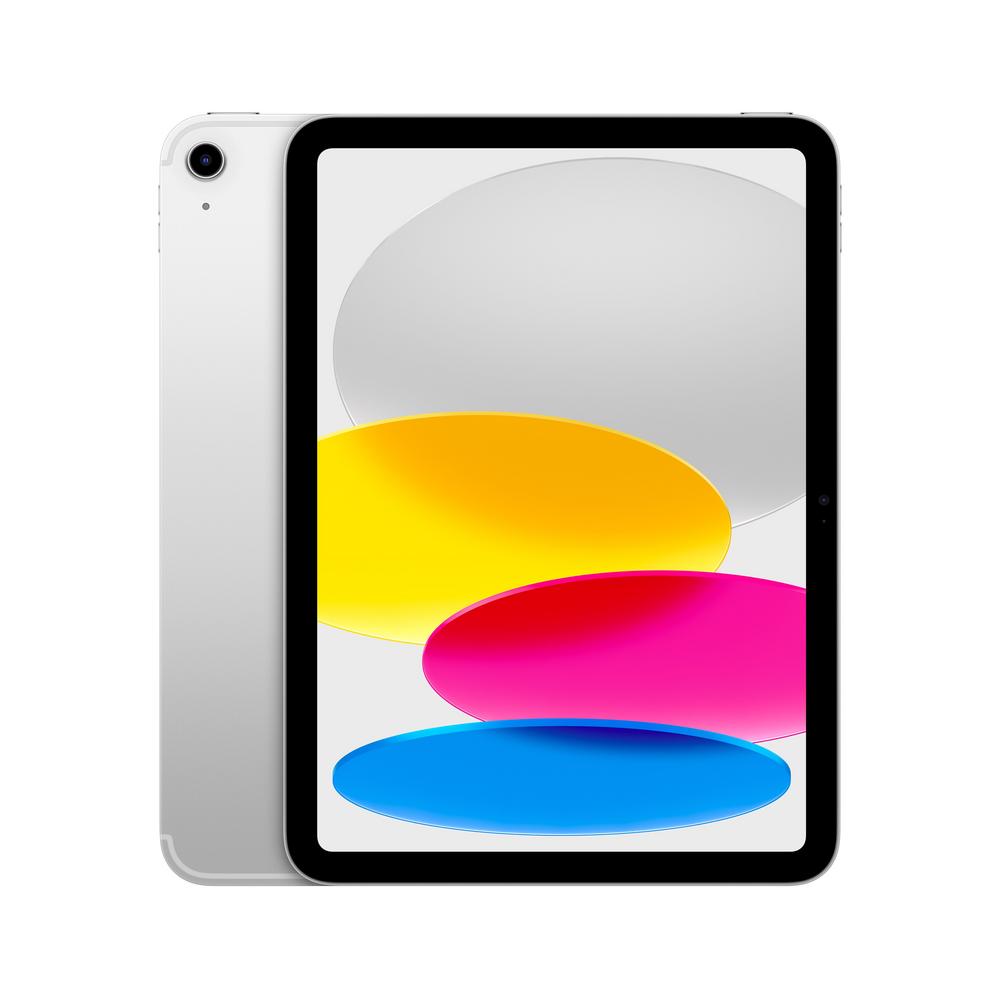
If you’re thinking about upgrading your tablet in 2025, you’re probably weighing up storage sizes, screen comfort and how much work a modern iPad can realistically handle. The Apple iPad 10.9" 256GB WiFi 2025 in Silver sits right in that sweet spot between everyday practicality and long-term value, especially if you want a single device for entertainment, study and light productivity. In this guide we’ll explore how to choose the right 10.9-inch iPad, what 256GB really gets you in day-to-day use, and when it’s worth stepping up to something roomier like the 512GB model.
Why the 10.9" iPad Size Works So Well
A 10.9-inch display has quietly become the "just right" size for a lot of people. It’s compact enough to hold comfortably on the sofa or in bed, but big enough to manage split-screen apps, spreadsheets and long documents without feeling cramped.
This size is particularly handy if you’re planning to use your tablet for:
- Streaming films and TV shows without needing to sit inches from the screen
- Reading articles, textbooks or PDFs with a comfortable text size
- Taking handwritten notes with a stylus alongside a lecture or meeting video
- Running two apps side by side, such as email and a browser or notes app
Because the Apple iPad 10.9" 256GB WiFi 2025 sticks to this form factor, it slots easily into most rucksacks, messenger bags and even larger handbags. If you’re curious about how it feels in real-world use, including display quality and ergonomics, you can read our full review of the Apple iPad 10.9" 256GB WiFi 2025 for hands-on impressions.
Understanding 256GB vs 512GB: How Much Storage Do You Really Need?
Storage is often the trickiest decision when buying a tablet, because you can’t add more later. The 2025 10.9-inch iPad range makes this choice simple with two clear options: 256GB and 512GB.
What 256GB Typically Covers
For many people, the 256GB Apple iPad 10.9" is a very generous step up from older base models. In practical terms, 256GB comfortably supports:
- Dozens of everyday apps for banking, social media, productivity and streaming
- Several popular games, including larger titles
- Offline downloads of your favourite playlists and a good selection of films and box sets
- Thousands of photos and a healthy number of short videos
If you already use cloud services (for example for photos, documents and backups), 256GB tends to feel roomy rather than restrictive. It’s a reassuring choice if you want a device that won’t constantly nag you to free up space but also don’t want to pay for storage you’ll never fill.
When 512GB Makes Sense
There are some clear scenarios where the larger Apple iPad 10.9" 512GB WiFi 2025 becomes more appealing. This alternative model, which you can explore in detail in our full review of the Apple iPad 10.9" 512GB WiFi 2025, is better suited to:
- Heavy media collectors who like to store large libraries of films and series offline for flights or long commutes
- Mobile gamers who keep many big-budget games installed at once
- Creative users editing high-resolution photos or longer video projects directly on the tablet
- People who want to squeeze as many years as possible out of a single device without worrying about future storage needs
Think honestly about how you use your current devices. If you often find yourself deleting apps or photos to make space, or you plan to use the iPad as your main portable computer, the 512GB variant is well worth a look.
Everyday Life with the Apple iPad 10.9" 256GB WiFi 2025
Storage is only part of the story. When you’re living with a tablet every day, the little usability details matter just as much: how quickly it wakes up, whether it feels snappy switching between apps, and how long it lasts away from the charger.
The 2025 10.9-inch iPad generation is built around a modern chip designed to juggle streaming, browsing, gaming and productivity with ease. In practice, that means:
- Instant-on responsiveness for quick note-taking or checking a recipe in the kitchen
- Smooth multitasking with two apps side by side, or an app plus a floating video
- Enough power for light photo editing, basic video trims and casual gaming
If you’re using it as a shared family device, the strong performance also helps it feel “new” for longer, which is particularly important if you want to get several years of use before considering an upgrade. For a deeper dive into performance, battery life and day-to-day reliability, our hands-on impressions in the in-depth review of the Apple iPad 10.9" 256GB WiFi 2025 are well worth a read.
Wi-Fi Only in 2025: Is It Enough?
The 256GB model here is Wi-Fi only, which immediately raises a common question: is that enough, or should you hunt down a cellular version instead? For a large number of households, Wi-Fi only is absolutely fine, and it keeps ongoing costs simple.
A Wi-Fi-only tablet works well if you:
- Mostly use it at home, in the office or in places with reliable Wi-Fi, like cafes
- Are happy to tether to your phone’s hotspot if you’re occasionally away from Wi-Fi
- Don’t want to pay an extra monthly data plan for yet another device
If you’re regularly on trains, working on the move or relying on the tablet as a primary device outdoors, then a cellular version of a 10.9-inch iPad might be worth the extra. For everyone else, a well-specced Wi-Fi model like this one keeps things simpler and usually better value.
Turning a 10.9" iPad into a Work and Study Machine
One of the biggest shifts in recent years is how capable tablets have become as portable productivity tools. With a few carefully chosen accessories, a 10.9-inch iPad can stand in for a light laptop on many days.
Essential Accessories for Getting Work Done
If you’re planning to use your iPad for work or study, consider:
- Keyboard case: A slim keyboard case transforms the tablet into a laptop-like setup, great for emails, essays and reports.
- Stylus: Perfect for handwritten notes, annotating PDFs and quick sketches or diagrams.
- Stand or folio: A stand that offers a few viewing angles makes long video calls and typed sessions much more comfortable.
- Cloud storage: Pairing the 256GB iPad with a document or photo cloud service keeps files backed up and synced across devices.
The 256GB capacity is more than enough for a typical mix of office apps, lecture recordings, scanned notes and reading material. Students in particular may find this combination of size and storage ideal for juggling lectures, revision and entertainment.
Family Use: Sharing a 10.9" iPad Around the House
Tablets are increasingly becoming shared devices: used in the morning for emails, in the afternoon for homework, and in the evening for streaming or gaming. The Apple iPad 10.9" 256GB WiFi 2025 is well suited to this role thanks to its versatile size and ample storage.
Some tips for using a 10.9-inch iPad as a family hub:
- Use separate accounts or profiles where the software supports it, so everyone’s apps and settings stay organised.
- Set up parental controls to manage screen time and content for younger children.
- Invest in a robust case to protect against the inevitable drops, spills and sofa dives.
- Keep a shared calendar so everyone can see upcoming events, appointments and school deadlines.
With 256GB, there’s room for multiple user apps, homework files and offline downloads without frequent housekeeping. If your household is particularly media-heavy, the 512GB variant may offer more peace of mind, but for many families the smaller capacity is more than enough.
Is It Worth Paying Extra for 512GB?
Price differences between storage tiers can be significant, so it’s worth thinking about the long term. The Apple iPad 10.9" 512GB WiFi 2025 is an attractive option if you want to “future-proof” your purchase, especially when you consider how app sizes and media quality tend to grow over time.
Here’s a quick way to decide:
- Choose 256GB if you primarily stream content, use cloud backup, and keep your app collection fairly tidy.
- Choose 512GB if you travel a lot, love offline viewing, play large games or edit lots of photos and videos locally.
Both capacities share the same core design and user experience, so your decision is really about how much you store, not how fast or capable the tablet feels. If you do lean towards the higher-capacity version, our review of the 512GB 10.9" iPad will help you judge whether the extra outlay matches your needs.
Getting the Best Performance and Battery Life
Once you’ve chosen your iPad, there are a few simple habits that keep it running smoothly for years:
- Keep software updated: Regular updates bring performance tweaks, security fixes and new features.
- Offload unused apps: If you rarely open a game or app, offloading or deleting it frees up space without much downside.
- Manage background activity: Limiting background refresh for rarely used apps can improve battery life.
- Use a gentle charging routine: Avoid consistently running the battery down to zero; topping up during the day can be kinder long term.
The 2025 10.9-inch models are built to handle a full day of mixed use, from browsing and streaming to work sessions. If you tend to marathon box sets or use the tablet as a portable TV around the home, a simple stand or dock near a plug socket can make top-ups more convenient.
Making the Most of Your iPad for Entertainment
For many buyers, a tablet is primarily an entertainment device: a portable screen for films, music, books and games. The 10.9-inch size hits a comfortable balance between immersion and portability here too.
To get the best entertainment experience from your Apple iPad 10.9" 256GB WiFi 2025:
- Experiment with different colour and brightness settings for watching in daylight versus at night.
- Download favourite shows or playlists over Wi-Fi before travelling, so you’re not relying on patchy connections.
- Consider wireless headphones for late-night viewing without disturbing others.
- Use a stand to prop the screen at a natural viewing angle on the table or sofa.
Because both the 256GB and 512GB models share the same 10.9-inch form factor, your entertainment experience will feel similar; the difference is simply how much you keep downloaded at once.
Final Thoughts: Choosing the Right 10.9" iPad for You
Buying a new tablet in 2025 is less about chasing raw power and more about picking the right size, storage and connectivity for the way you actually live. The Apple iPad 10.9" 256GB WiFi 2025 offers a very strong balance of portability, performance and capacity for most households, students and workers.
If you think you’ll store extensive video libraries, large games or long-term creative projects on your device, the Apple iPad 10.9" 512GB WiFi 2025 is an excellent alternative worth serious consideration. Whichever way you’re leaning, taking a few minutes to look at real-world impressions will help you feel confident in your choice. For a deeper look at everyday use, battery life and build, start with our complete review of the Apple iPad 10.9" 256GB WiFi 2025, then compare it with our review of the Apple iPad 10.9" 512GB WiFi 2025 to see which model truly fits your life.