
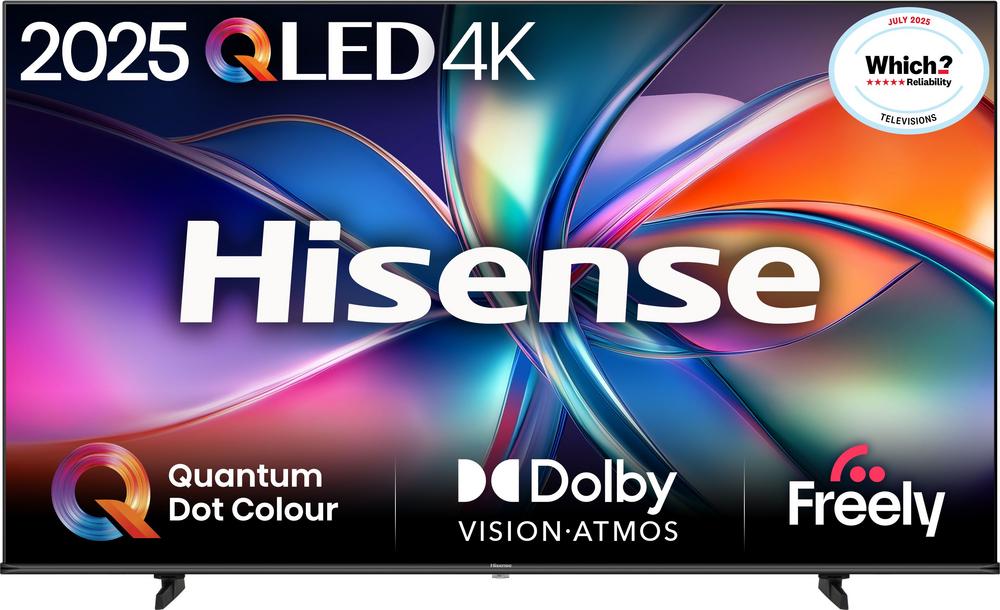
Thinking about bringing a cinematic 75-inch QLED into your living room? The Hisense E78Q 75" 4K Ultra HD QLED Smart Freely TV (75E78QTUK PRO) is part of a new generation of big-screen TVs that promise bold colours, bright HDR and easy streaming at prices that don’t feel completely out of reach. But before you commit to such a large screen, it’s worth working through what size, features and alternatives really suit your home.
Why a 75-inch QLED makes sense for UK homes
A 75-inch QLED like the Hisense E78Q is made for people who want a proper cinema feel at home, without leaping into the very top price brackets. With 4K resolution and a quantum dot panel, it’s designed to balance sharp detail with vibrant colour and strong brightness – particularly handy in light UK living rooms where curtains aren’t always closed.
For a deeper dive into its picture modes, gaming performance and smart system, you can read our full review of the Hisense E78Q 75" 4K Ultra HD QLED Smart Freely TV, but let’s stay focused on how to decide if this style of TV is right for you.
Working out if 75 inches is the right size
The biggest question with a TV like the E78Q isn’t always the spec – it’s whether the sheer size works in your room. A 75-inch screen can dominate a space, so start with two simple checks: viewing distance and furniture layout.
Check your viewing distance
As a rule of thumb, a 75-inch 4K TV feels comfortable from around 2.5–3.5 metres away. Closer than that and you might find you’re turning your head a lot; much further and you lose some of the impact, especially for films and sport.
- Measure from your usual seating position to the wall or stand where the TV would sit.
- If you’re under about 2.3 metres, consider a 65-inch instead, such as the Hisense A7Q 65" 4K Ultra HD QLED Smart Freely TV.
- If you’re comfortably at 2.5 metres or more, a 75-inch like the E78Q can feel wonderfully immersive.
Will it physically fit?
Modern 75-inch TVs are slimmer than older sets, but the width can still surprise you. Before you decide, check:
- The width of your TV stand or cabinet.
- Whether the TV uses a central pedestal or wide-set feet.
- Space for soundbars, speakers and cables.
If your furniture has limited width but you’re set on 75 inches, wall mounting is often the cleanest solution. Just be sure you can safely drill into the wall type you have and use a bracket rated for the TV’s size and weight.
Understanding QLED: what you can expect day to day
The Hisense E78Q sits in the QLED camp, which means it uses quantum dots to boost colour and brightness over a basic LED TV. In everyday terms, that usually means punchier HDR, richer colours in nature documentaries, and better visibility in bright, sunlit rooms.
If you’re torn between different Hisense QLED lines, it’s helpful to place the E78Q alongside close relatives:
- Hisense E77NQTUK PRO 75" 4K Ultra HD QLED Smart Freely TV [2024] – a similar 75-inch QLED from the previous year, still highly rated and often keenly priced.
- Hisense A7Q 75" 4K Ultra HD QLED Smart Freely TV [2025] – another 2025 75-inch QLED that aims for strong value in the same size.
- Hisense E7Q 75" 4K Ultra HD QLED Smart Freely TV [2025] – a 75-inch model that tends to come in at a sharper price while keeping the big-screen 4K QLED feel.
These sets share a broadly similar philosophy: 4K resolution, vibrant colour and smart streaming without climbing into premium flagship territory. The differences are often in processing, panel tuning and feature extras, which we unpack in each of their dedicated reviews.
Smart TV and streaming: what to look out for
A modern 75-inch TV is as much about streaming as it is about the panel. The Hisense E78Q is a Smart Freely TV, so you can expect mainstream apps, streaming services and catch-up built in, which keeps the setup tidy – no need for a separate box for everyday viewing.
Check your must-have apps
Before you buy, make a list of the apps you actually use: common favourites include Netflix, Prime Video, Disney+, YouTube, BBC iPlayer and ITVX. Most big-brand smart TVs now support these, but it’s always worth double-checking, especially if you’re keen on a niche service.
If you want a similar big-screen experience but are happy to tweak the balance between features and price, take a look at the Hisense E7Q 75" QLED Smart Freely TV, which sits in the same ecosystem while typically costing a little less.
Network and Wi-Fi considerations
Streaming 4K reliably takes a decent broadband connection. If your router is in another room or on a different floor, consider:
- Using an Ethernet cable for the most stable connection, if the TV location allows.
- Wi-Fi extenders or mesh systems if you notice buffering on your current TV or laptop.
- Checking your actual speeds with an online test at your TV’s location.
A big screen is very unforgiving of poor-quality streams, so getting your home network in order is just as important as picking the right panel.
Picture settings: getting the most from a 75-inch QLED
Out of the box, many TVs push overly bright, vivid modes to stand out on a shop floor. At home, that can look harsh. The Hisense E78Q gives you a range of picture presets, and spending a few minutes adjusting them can make films and series look more natural.
Simple tweaks that usually help
- Start with a “Cinema”, “Movie” or “Filmmaker” style mode for films – it usually dials down harsh sharpness and overly blue whites.
- Reduce motion smoothing for dramas and films if you dislike the “soap opera” effect.
- Boost motion settings slightly for fast sport if you find the action smears.
- Let the TV automatically select its HDR mode when you play a 4K HDR film or game.
Because the E78Q is a 4K QLED, it will reveal flaws in low-quality sources more clearly than an older Full HD set. If standard definition channels look rough, that’s normal – stick to HD or streaming where you can.
Gaming on a 75-inch QLED
One of the biggest joys of a 75-inch 4K TV is gaming. Open-world titles, racers and sports games feel far more immersive, and split-screen play becomes more comfortable. When choosing between big-screen QLEDs, keep an eye on gaming-friendly features such as dedicated game modes and low input lag.
The Hisense E78Q is designed with modern 4K gaming in mind, and in our hands-on testing we explore how it handles responsiveness and motion in more detail – you can read our full review of the Hisense E78Q 75" QLED TV here if gaming performance is a priority.
If you want something very similar but perhaps from a previous range, the Hisense E77NQTUK PRO 75" 4K Ultra HD QLED Smart Freely TV [2024] is well worth a look. It offers a comparable 75-inch QLED experience with an established track record and a strong user rating, making it a sensible alternative if you find it at an attractive price.
Comparing similar Hisense 75-inch QLED options
If you’ve settled on the idea of a 75-inch Hisense QLED, you’re not restricted to a single model. Here’s how the close alternatives fit into the picture.
Hisense E78Q vs E77NQTUK PRO 75-inch
The E77NQTUK PRO is a 2024 75-inch QLED that sits close to the E78Q in concept. In many cases, newer models bring tweaks to processing and features rather than a total overhaul. If you see the E77NQTUK PRO at a meaningfully lower price, it’s a strong contender – you can learn more in our dedicated full review of the Hisense E77NQTUK PRO 75" QLED TV.
Hisense E78Q vs A7Q 75-inch
The Hisense A7Q 75" 4K Ultra HD QLED Smart Freely TV [2025] gives you another 75-inch 4K QLED option from the same brand. It targets solid picture quality and smart features for a competitive price. If you’re trying to balance budget and big-screen impact, comparing these two ranges side by side is a sensible move.
Hisense E78Q vs E7Q 75-inch
The Hisense E7Q 75" 4K Ultra HD QLED Smart Freely TV [2025] tends to slot in as a keen-value 75-inch option. If your room suits 75 inches but you want to keep costs under tighter control, it’s a model to shortlist. It keeps the 4K QLED foundation but trims back in places to land at a lower ticket price.
When to consider stepping down to 65 inches
Sometimes the most sensible choice is to go one size down and add better sound or save money. The Hisense A7Q 65" 4K Ultra HD QLED Smart Freely TV [2025] keeps the 4K QLED experience but in a more manageable footprint, ideal for UK terraces, flats and smaller lounges.
Dropping to 65 inches can make sense if:
- Your seating distance is under about 2.3 metres.
- Your TV cabinet can’t comfortably take a 75-inch stand.
- You’d rather spend the difference on a soundbar or streaming subscriptions.
Sound: matching audio to a big picture
While large TVs like the Hisense E78Q can deliver decent built-in sound, the ultra-slim cabinets limit how powerful the speakers can be. On a 75-inch set especially, adding a separate sound solution often transforms the experience.
Simple audio upgrades
- A compact soundbar that sits beneath the TV for clearer dialogue and better impact.
- A soundbar with wireless subwoofer for more cinematic bass in films and games.
- A pair of powered bookshelf speakers connected via optical, if you prefer a more traditional hi-fi sound.
Whichever route you choose, check that your chosen TV offers the right outputs and audio formats for your soundbar or system, and make sure cables can be routed neatly in your room layout.
Energy use and running costs
Bigger screens draw more power than smaller ones, but there are easy ways to keep running costs sensible. Features like automatic brightness adjustment and power-saving modes can make a noticeable difference over a year of daily use.
- Use an energy-saving or eco picture mode for everyday TV, switching to a brighter mode only for very sunny days or HDR films.
- Enable automatic standby timers so the TV turns off if left idle.
- Reduce the backlight level slightly – on a bright QLED panel this can cut power use without harming clarity.
It’s also worth checking the energy label of any TV you’re considering, especially if you watch several hours a day.
Installation tips: from delivery to first watch
A 75-inch TV isn’t something you easily unbox and shuffle alone. Planning the installation of a model like the Hisense E78Q will save you stress on delivery day.
- Clear space around the stand or wall area so you’re not stepping over furniture with a large, fragile screen.
- Have two people lift and manoeuvre the TV; avoid gripping the panel itself.
- Lay a soft blanket or duvet on a table or bed if you need to place the TV face-down to attach the stand.
- Plan cable routes, especially if wall mounting, before you fix the bracket.
Once it’s in place, take a few minutes to run through the on-screen setup wizard, connect your Wi-Fi or Ethernet and log into your key streaming apps. After that, you can start fine-tuning picture and sound to taste.
Bringing it all together
Choosing a 75-inch QLED TV is about more than chasing the biggest screen you can afford. It’s about matching size, viewing distance, picture style, smart features and sound to the way your household actually watches TV. The Hisense E78Q 75" 4K Ultra HD QLED Smart Freely TV is a compelling example of what this kind of set can do, with several closely related models like the E77NQTUK PRO, A7Q and E7Q offering alternative routes to a similar experience.
If you’re leaning towards the E78Q and want a closer look at how it performs with films, sport and gaming, head over to our in-depth hands-on and read the full review of the Hisense E78Q 75" QLED TV. Whichever model you end up choosing, a bit of planning and setup care will help your new big screen feel like the heart of your living room for years to come.