
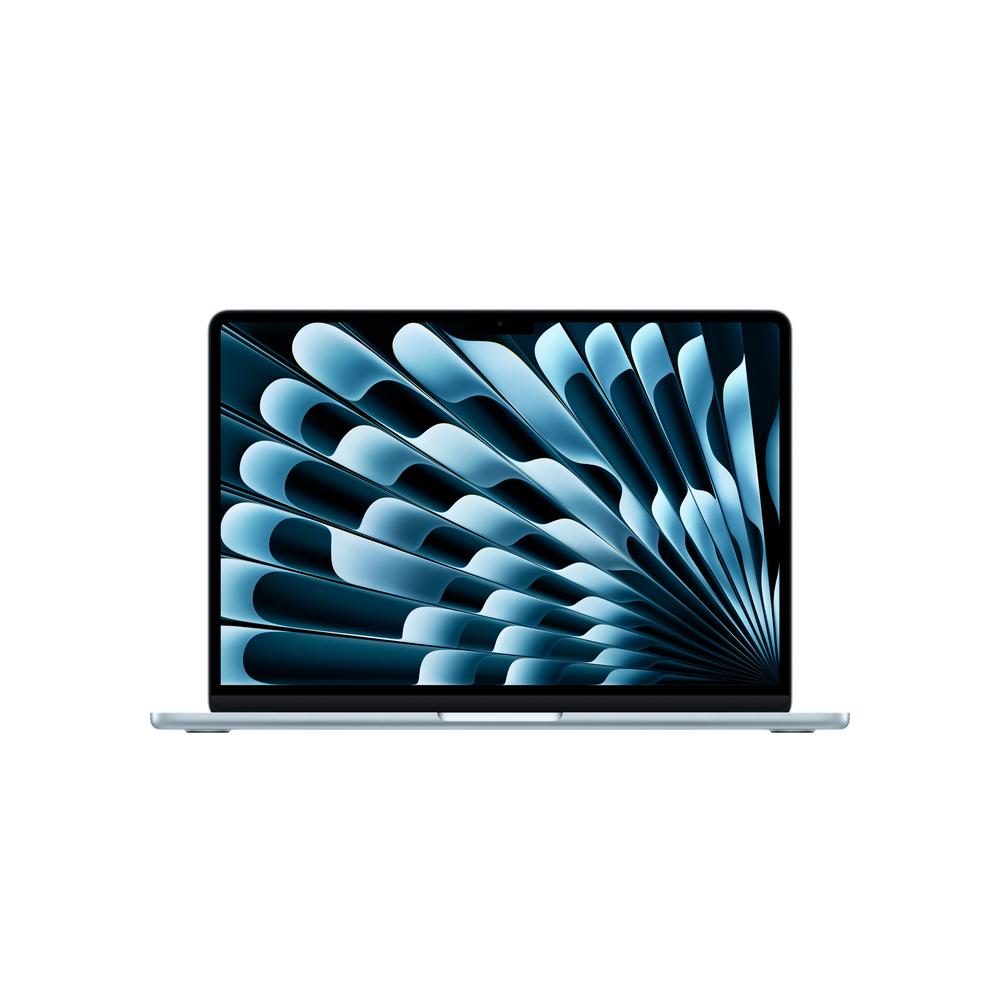
The 15" MacBook Air has quickly become the go-to choice for people who want a bigger screen without carrying a heavy, chunky laptop. The latest Apple 15" MacBook Air, M4, 16GB RAM, 10 Core GPU, 256GB, 2025 in Sky Blue leans into that idea even further: slim, quiet, deceptively powerful and designed for years of everyday use. In this guide, we’ll walk through who this kind of laptop really suits, how much power and storage you actually need, and how to get the best value from a premium thin-and-light.
Meet the 15" MacBook Air with M4
This 15" MacBook Air pairs Apple’s latest M4 chip with 16GB of RAM and a 10-core GPU, so it’s clearly aimed at users who want more than just basic browsing and emails. With a 4.8 average rating from over 30 customer reviews, it’s already proving popular as an everyday all-rounder that still feels fast under pressure.
The 256GB storage keeps the initial price more accessible, while that 16GB memory gives you breathing room for multitasking, creative work and future software updates. If you’d like a blow-by-blow breakdown of ports, screen quality and performance benchmarks, you can read our full review of the Apple 15" MacBook Air with M4 – this article focuses instead on helping you decide if this style of laptop fits your life.
Who is the 15" MacBook Air best for?
Before you dive into specs and storage, it helps to be clear about how you actually use a laptop day to day. The 15" MacBook Air is a strong fit if:
- You mainly work on the go and want a big, comfortable screen.
- You run many tabs and apps at once and hate feeling slowed down.
- You do some creative work – photos, light video editing, coding or music.
- You value a quiet, cool laptop that doesn’t sound like a jet engine.
If you spend most of your time on spreadsheets, documents, email and video calls, the 16GB M4 Air is overkill in a good way: it will feel snappy now and should stay that way for years. For heavier video work or gaming, you’ll still get impressive performance for a slim machine, but a more specialist, actively cooled laptop may ultimately suit that niche better.
For a detailed breakdown of real-world use cases, benchmarks and battery results, it’s worth taking a look at our full hands-on impressions – read our in-depth review of the 15" MacBook Air for that level of detail.
Understanding the key specs: M4, 16GB RAM and 256GB storage
Specs can sound abstract, so let’s decode what this particular configuration actually means in practice.
The M4 chip: fast, cool and efficient
The M4 chip is designed to squeeze a lot of performance into a slim, fanless body. That translates into instant app launches, smooth scrolling, and the ability to handle serious workloads without the laptop getting hot and noisy. For most people, the practical benefits are simple: you can keep your browser, email, messaging apps, a photo editor and maybe a coding environment all open without the machine struggling.
Why 16GB RAM makes sense for the long term
Memory is where many people end up bottlenecked after a couple of years. While 8GB is still workable for light use, 16GB gives you a healthier buffer for modern, web-heavy apps and more complex tools. If you tend to keep a lot of tabs open, jump between documents and images, or run virtual meeting software all day, 16GB will help keep slowdowns at bay and extend the useful life of the laptop.
Living with 256GB storage
256GB can be perfectly manageable if you lean on cloud services and external drives. Documents, spreadsheets and notes use very little space; it’s photos, videos and project files that add up. If you work with large media libraries or want plenty of room for games and offline video, it may be worth budgeting for a higher-capacity model or a good-quality external SSD.
Portability vs. comfort: the 15-inch sweet spot
The 15" MacBook Air is all about balance: you get a larger display in a body that’s still thin and light enough to slip into a rucksack. For many people, that extra screen space is transformative for focus and comfort.
If you’re moving between clients, commuting into the office or working in cafes, a 15-inch screen means you can keep reference material and your main workspace visible at once. Split-screening a browser and a document, or a video timeline and a preview window, is simply more pleasant at this size than on a compact 13-inch display.
The flipside is that it does take up more room on a tray table or cramped desk. If you frequently work in very tight spots, a smaller laptop or a tablet might be more practical, but for most people, the portability-to-comfort ratio of this 15-inch design is hard to beat.
Is the 15" MacBook Air good for students and remote workers?
Students and remote workers often need the same mix of portability and power, and this M4, 16GB model sits in a particularly strong place for that type of use.
- For students: the long battery life and larger screen are ideal for lectures, note-taking and research. 16GB RAM is very helpful for those juggling course platforms, research tabs and creative projects.
- For remote workers: a quiet, fanless design is great in shared spaces, and the chip has plenty of headroom for video calls, collaboration tools, office apps and occasional creative tasks.
If your course or job involves heavy 3D modelling, high-end video workflows or specialist engineering tools, it’s worth checking the exact software requirements. In some edge cases, a machine with a dedicated graphics card and active cooling may still be a better fit.
Getting the best value from a premium MacBook
A laptop like this is a sizeable purchase, so it makes sense to squeeze every bit of value from it. Here are some practical ways to do that.
Choose your storage strategy early
If you go for 256GB, decide how you’ll handle large files from day one. Using cloud storage for documents and photos, and relocating bulky video and project files to an external SSD, can keep the internal drive clear and responsive. It also makes it easier to move between devices later.
Keep it updated, but tidy
Keeping the operating system and apps updated gives you the latest features and security patches, but it’s worth occasionally reviewing which apps you actually use. Uninstalling old software and pruning your downloads folder prevents clutter and helps your system feel fresh and fast.
Look after the battery
Modern batteries are designed for frequent use, but a few simple habits help them age gracefully. Avoid leaving the laptop constantly at 100% on the charger, and don’t let it sit completely drained for long periods. Using battery health management features, where available, can also help limit long-term wear.
Everyday use: what the 15" MacBook Air does best
In daily life, the 15" MacBook Air shines in a few particular areas:
- Office work and productivity: word processing, spreadsheets and presentations feel effortless, even with many apps and tabs open.
- Web and communication: messaging apps, video calls and web apps all benefit from the snappy M4 performance.
- Creative hobbies: basic to moderate photo and video editing, music production and digital art are well within its wheelhouse.
- Light entertainment and streaming: the larger screen makes films and TV shows more enjoyable without needing an external monitor.
If you expect to spend hours each day exporting 4K video, rendering 3D scenes or playing the latest games at high settings, you may still find a more specialised machine better suited. But as a capable all-round daily driver, this configuration has more than enough in reserve for most people.
When might a different laptop be a better fit?
Even if the 15" MacBook Air ticks a lot of boxes, it’s worth thinking about edge cases where it may not quite match your needs:
- You need a ultra-compact machine: if you’re constantly travelling with minimal luggage, a smaller-screen model may be more convenient.
- You need huge internal storage: if you routinely carry terabytes of video or large libraries locally, you might prefer a configuration with more built-in storage to avoid juggling drives.
- You need sustained heavy performance: for complex 3D and high-level video work, a chunkier, actively cooled laptop or desktop can maintain peak speeds for longer stretches.
Thinking about these scenarios now will help you decide whether to stick with a slim 15-inch all-rounder, adjust your configuration or consider something more specialised instead.
Practical tips for living with a 256GB, 16GB laptop
If you do go for (or already own) a 256GB, 16GB configuration, a few habits will help you avoid common frustrations.
Use cloud storage smartly
Store documents, notes and smaller project files in the cloud so you can free up local space without losing access. Many services now offer on-demand file downloads, so rarely used items don’t need to sit on your laptop drive all the time.
Invest in a fast external SSD
A good portable SSD is small, light and fast enough that working from it often feels no different from using internal storage. It’s an excellent home for large photo libraries, video projects and archives, letting the internal 256GB stay relatively empty for apps and active work.
Keep an eye on "Downloads" and desktop clutter
Both the Downloads folder and desktop are notorious for swallowing space. Setting aside time once a month to delete old installers, screen recordings and duplicate files can prevent nasty surprises when the system warns you that you’re nearly full.
How long can you expect a premium MacBook to last?
One of the main reasons people pick a higher-spec slim laptop is longevity. With the M4 chip and 16GB RAM, the 15" MacBook Air should comfortably handle modern apps for years to come, especially if you keep storage under control and avoid running too many intensive tasks simultaneously.
Over time, new software and operating system versions will get more demanding, but starting with a stronger baseline of memory and processing power buys you plenty of headroom. That, combined with good battery care and the occasional clear-out of unused apps, should mean you can keep this laptop as your daily driver well beyond its initial warranty period.
Final thoughts
The Apple 15" MacBook Air, M4, 16GB RAM, 10 Core GPU, 256GB, 2025 in Sky Blue is built for people who want a large, comfortable screen and fast performance, without giving up the freedom of a truly portable laptop. Its mix of power, memory and efficiency makes it a strong option for students, professionals and home users alike, especially if you’re prepared to be a little smart about how you manage storage.
If you’re weighing up configurations, wondering whether 16GB is worth it, or just want to dig into the detail of display quality, battery life and performance benchmarks, you can dive into our full hands-on review of the 15" MacBook Air M4. That way, you can choose with confidence and get a laptop that will feel quick and enjoyable to use for years to come.