
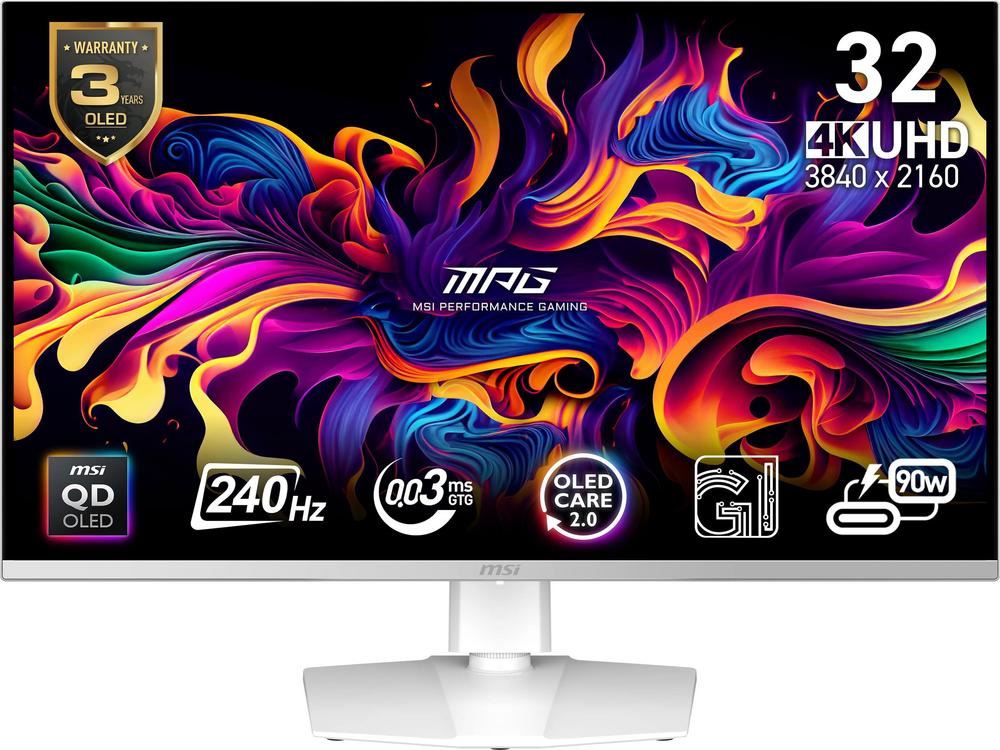
If you’re eyeing up a new 32-inch 4K gaming monitor, it’s hard to ignore the latest wave of QD‑OLED screens. They promise deep OLED blacks, punchy quantum-dot colour and esports‑friendly refresh rates in one package. The MSI MAG 321CUP QD‑OLED 4K Ultra HD 165Hz OLED Curved Gaming Monitor sits right in that sweet spot, offering a curved 4K experience with a high refresh rate that suits both immersive single‑player titles and fast shooters.
This guide walks you through what to consider with monitors like the MSI MAG 321CUP QD‑OLED, how it compares with faster alternatives such as the MSI MPG 321URX QD‑OLED and MSI MPG 321CURX QD‑OLED, and how to get the best out of a 32‑inch 4K QD‑OLED setup. If you want full hands‑on impressions, you can always read our full review of the MSI MAG 321CUP QD‑OLED alongside this guide.
Understanding 32-inch 4K QD‑OLED gaming monitors
At 32 inches, 4K resolution is a natural fit. You get pin‑sharp detail for games, films and day‑to‑day browsing, without text becoming uncomfortably tiny. On a QD‑OLED panel, those pixels are backed by true blacks and very high contrast, so dark scenes in horror games or sci‑fi shooters look dramatically more lifelike than on typical LCD screens.
The MSI MAG 321CUP QD‑OLED combines that 4K clarity with a 165Hz refresh rate and a curved panel. That puts it firmly in the premium‑gaming camp, but it’s still versatile enough for mixed use – from story‑driven RPGs to video editing and general PC tasks.
QD‑OLED panels also tend to offer richer colours than standard OLED, which is helpful if you like highly stylised games, anime or vivid open‑world titles. You don’t have to push colour saturation to extremes; the image simply has more depth at default settings.
165Hz vs 240Hz: which refresh rate do you really need?
Refresh rate is one of the biggest talking points with modern gaming monitors. The MSI MAG 321CUP QD‑OLED tops out at 165Hz, while alternatives like the MSI MPG 321URX QD‑OLED 31.5″ 4K Ultra HD 240Hz Gaming Monitor and the MSI MPG 321CURX QD‑OLED 4K Ultra HD 240Hz OLED Curved Gaming Monitor push right up to 240Hz.
The jump from 60Hz to 120/144/165Hz is immediately obvious: motion looks far smoother, and mouse movements feel more responsive. The leap from 165Hz to 240Hz is subtler. Competitive players in fast shooters or battle royales may appreciate the extra fluidity, but only if their PC can consistently produce very high frame rates at 4K.
Think about your games and your hardware:
- Mostly single‑player titles and mixed use: a 165Hz monitor like the MSI MAG 321CUP QD‑OLED is more than fast enough, and you’ll spend more time enjoying the visual quality than chasing the last few frames.
- Serious esports and competitive shooters: a 240Hz option such as the MPG 321URX QD‑OLED or MPG 321CURX QD‑OLED may appeal, especially if you already own a powerful GPU.
If you’re unsure, it’s worth checking the detailed performance impressions of the MSI MAG 321CUP QD‑OLED in our dedicated review, then comparing that with the 240Hz MPG models linked above.
Curved vs flat: which style suits you?
Curved monitors can make games feel more immersive, particularly at 32 inches and when you sit relatively close. The MSI MAG 321CUP QD‑OLED and the MSI MPG 321CURX QD‑OLED both use a curved design, gently wrapping the image around your field of view.
That curvature is excellent for:
- Racing games and sims where a wider field of view feels more natural.
- Open‑world adventures where you want to be absorbed in the scenery.
- Cinematic titles with lots of dark scenes and sweeping vistas.
If you do a lot of photo editing, 2D design or work that demands perfectly straight lines on‑screen, you might lean towards a flat monitor instead. That’s where the MSI MPG 321URX QD‑OLED 31.5″ 4K Ultra HD 240Hz Gaming Monitor fits neatly: it offers the same headline 4K + QD‑OLED + 240Hz mix, but on a flat panel that can feel more conventional for work.
For many people, the curve on the MAG 321CUP QD‑OLED hits a comfortable middle ground – noticeable enough to be immersive, but not so aggressive that it feels odd on the desktop.
Performance expectations and PC requirements
Before you commit to a 4K 165Hz or 240Hz monitor, it’s worth being realistic about your PC. Driving modern games at 4K puts huge demand on your graphics card, especially if you want high frame rates to match your screen’s refresh.
With a 165Hz display like the MSI MAG 321CUP QD‑OLED, you have a bit more breathing room. Even if you don’t always hit 165fps in every title, variable refresh rate support (where available) can keep motion smooth when your frame rate fluctuates. On 240Hz models such as the MPG 321URX QD‑OLED or MPG 321CURX QD‑OLED, the bar is even higher – but you can still enjoy the benefits of the fast panel in less demanding games and competitive titles.
To get the best from any 4K QD‑OLED gaming monitor:
- Use a modern high‑bandwidth connection, typically DisplayPort or the latest HDMI, from your GPU.
- Check your graphics settings and consider a mix of high and medium options rather than maxing everything out.
- Experiment with resolution scaling or performance modes in games if you’re struggling to maintain smooth frame rates.
Why QD‑OLED suits mixed gaming and everyday use
OLED technology is often talked about in terms of films and TV because of its superb black levels. On a desktop monitor, those same traits make a difference whenever you use dark themes, productivity apps or browsers with lots of white space against black backgrounds.
QD‑OLED adds a wider colour gamut to that foundation. Games with bright neon elements, colourful spells or vibrant landscapes really stand out. The MSI MAG 321CUP QD‑OLED is a good example of this hybrid role: a monitor that’s clearly aimed at gamers but still comfortable for spreadsheets, editing and general browsing.
If you’re mostly gaming but also working on the same PC, consider:
- Text clarity: 4K at 32 inches provides a crisp desktop, especially if you use a sensible scaling level in your operating system.
- Colour modes: gaming presets can make images pop, while more neutral modes work better for editing and reading.
- Brightness levels: lowering brightness for long work sessions can reduce eye fatigue and extend OLED longevity.
Living with an OLED gaming monitor: care and longevity
OLED panels, including QD‑OLED, do need a bit more care than traditional LCDs. The main concern is image retention and potential burn‑in from static elements, such as HUDs, logos or taskbars that sit in the same place for long periods.
Modern gaming monitors typically include safety features like pixel shifting and panel refresh cycles. You can also help by adopting simple habits:
- Enable any built‑in screen saver or screen dimming options.
- Hide persistent HUDs in games where possible, or vary your game library regularly.
- Use dark mode on your operating system and apps if you’re often on the desktop.
- Avoid leaving static content (like paused videos or menus) on‑screen for hours.
Treated sensibly, a QD‑OLED gaming monitor like the MSI MAG 321CUP QD‑OLED should offer many years of strong performance without issues.
Choosing between these MSI 32-inch QD‑OLED options
If you’ve narrowed things down to MSI’s 32‑inch QD‑OLED range, you’re already in very capable territory. The next step is deciding which model best matches your priorities and budget.
MSI MAG 321CUP QD‑OLED 4K Ultra HD 165Hz OLED Curved Gaming Monitor
This model is a balanced choice for gamers who want a curved, immersive 4K QD‑OLED experience with a high, but not extreme, 165Hz refresh rate. It’s particularly well‑suited to people who play a mix of fast games, cinematic titles and general PC tasks on the same screen. Its strong user rating and review count suggest it hits the mark for most owners, and you can dive deeper into the real‑world experience in our full MSI MAG 321CUP QD‑OLED review.
MSI MPG 321URX QD‑OLED 31.5″ 4K Ultra HD 240Hz Gaming Monitor
If you prefer a flat screen and you’re willing to push for the highest refresh rates, the MSI MPG 321URX QD‑OLED 31.5″ 4K Ultra HD 240Hz Gaming Monitor is well worth a look. It trades curvature for an even faster 240Hz panel, which is ideal for people who live in competitive shooters and have the hardware to match. It’s also a strong option if you split your time between gaming and creative work, where a flat panel can feel more natural.
MSI MPG 321CURX QD‑OLED 4K Ultra HD 240Hz OLED Curved Gaming Monitor
For those who want both the thrill of a curved screen and the responsiveness of 240Hz, the MSI MPG 321CURX QD‑OLED 4K Ultra HD 240Hz OLED Curved Gaming Monitor sits at the top of the pile. It takes the immersive feel of the MAG 321CUP QD‑OLED and combines it with the extra performance headroom of the MPG range. If budget is less of a concern and you’re aiming for a ‘no‑compromise’ spec sheet, this is likely the one on your shortlist.
Practical setup tips for a 32-inch curved 4K gaming monitor
Once you’ve chosen your monitor, a good setup makes a big difference to comfort and picture quality. Here are some quick wins that apply nicely to the MSI MAG 321CUP QD‑OLED and its MPG siblings:
- Viewing distance: aim to sit roughly an arm’s length away so the entire 32‑inch screen fits comfortably in your field of view.
- Eye level: adjust the stand so the top edge of the screen is around eye height, reducing neck strain over long sessions.
- Ambient light: avoid bright lights directly behind you that could reflect off the panel; a soft bias light behind the monitor can be more comfortable.
- Colour and brightness: experiment with the monitor’s presets; often a ‘standard’ or ‘sRGB’ mode looks more natural for everyday use than an overly vivid gaming mode.
Is now the right time to invest in a QD‑OLED gaming monitor?
QD‑OLED gaming monitors have moved from early‑adopter territory into something much more mainstream. Pricing is still premium, but you’re getting tangible quality-of-life improvements: instant pixel response times, superb contrast and, on models like the MSI MAG 321CUP QD‑OLED, a fast refresh rate that doesn’t feel like a compromise.
If you’re upgrading from a 60Hz or 75Hz LCD, the difference will be night and day. Even coming from a high‑refresh IPS monitor, the deep blacks and vivid colours of QD‑OLED can make familiar games feel new again.
Bringing it all together
Choosing a 32‑inch 4K QD‑OLED monitor is mostly about balancing immersion, speed and how you actually use your PC. The MSI MAG 321CUP QD‑OLED 4K Ultra HD 165Hz OLED Curved Gaming Monitor sits in a very approachable middle ground, delivering a big step up in visual quality without demanding the absolute latest graphics card or esports‑grade reflexes.
If you’re leaning more towards ultra‑competitive play or simply want the reassurance of 240Hz on tap, both the MSI MPG 321URX QD‑OLED and MSI MPG 321CURX QD‑OLED are excellent alternatives. Whichever way you’re leaning, it’s worth spending a few minutes with the in‑depth reviews linked throughout this guide so you can see how each model performs in real gaming setups before you buy.